📋 Admin Console
FTAPI administrators (= user group) can centrally manage data rooms via the Admin Console in the administration area without needing access to the individual data rooms.
Details
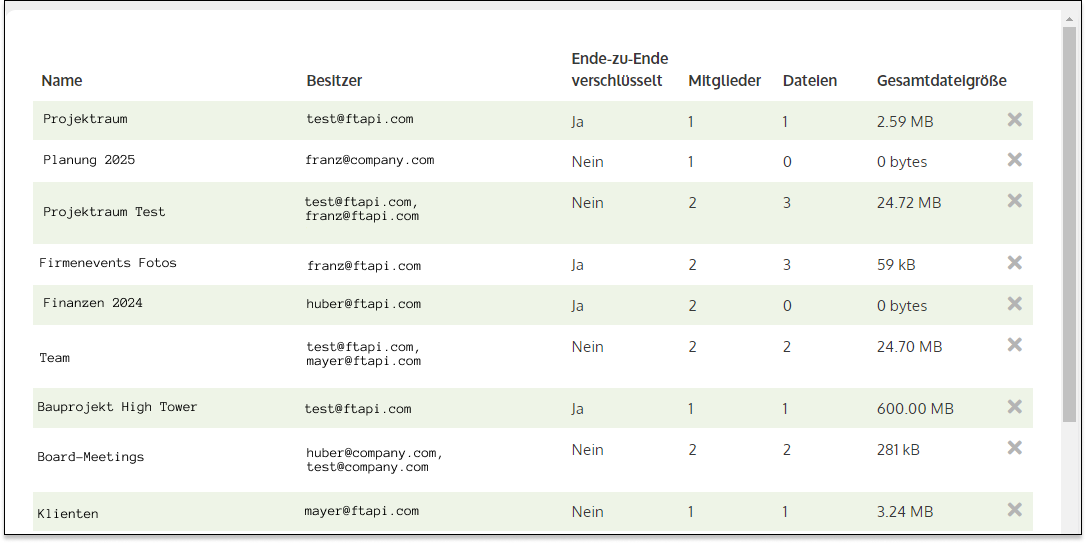
The following information about the data rooms can be viewed via the Admin Console:
- Name: Name of the data room
- Owner: List of all users with the "Owner" access role
- End-to-end encrypted: Indicates whether end-to-end encryption is active (Yes / No)
- Members: Number of data room members
- Files: Number of files uploaded in the data room
- Total file size: Total size of all files in the data room
Additionally, the following actions can be performed via the console:
- Promote members to the "Owner" access role
- Delete data room
Access
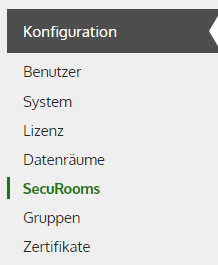
The Admin Console can be viewed via the "Administration" tab under the "SecuRooms" configuration (access is regulated via group permissions).