
📋 System: Setting up a custom SMTP relay for deliveries and notifications
This article explains the prerequisites for using a custom SMTP relay for system notifications and deliveries and lists the necessary configuration details for FTAPI support.
The FTAPI server uses a predefined SMTP relay for delivery and system notifications.
It is possible to use your own SMTP relay. However, there are a few aspects to consider:
Prerequisites and notes on using a custom SMTP relay
- For reliable email transmission, a valid SPF record as well as DMARC/DKIM should be in place for the SMTP relay.
- The server sends system notifications via a dedicated sender address (default:
notify@ftapi.com). - The server sends deliveries using the sender's email address. The relay must therefore allow sending messages for both internal senders (e.g.,
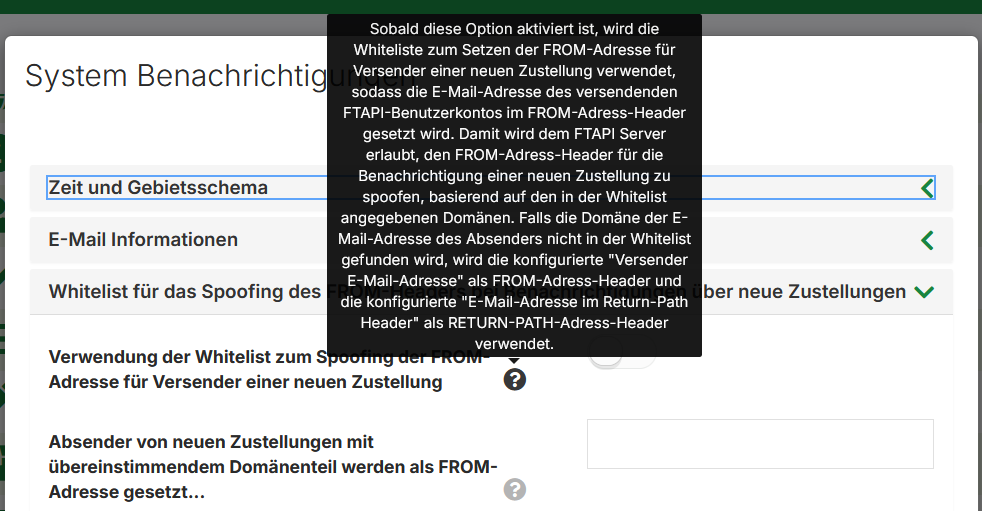
@<your-domain.de>) and external domains (e.g.,@gmail.com,@gmx.net). - If this is not possible or desired, so-called "spoofing" can be activated on the FTAPI server for all or for external senders. This ensures that the dedicated sender is used for both system notifications and deliveries.
Required information for FTAPI support
To set up a custom SMTP relay, FTAPI support requires the following information:
- FQDN of the email server
- SMTP username
- SMTP password
- SMTP port
- Encryption used (TLS, STARTTLS)
Related articles
📋 Email delivery: Emails are not arriving or are landing in spam (DNS configuration)