📋 Security Policies
Through "Security Policies", global security settings can be configured for your organization.
- Under "General", a password policy can be set for login and SecuPass.
- Under "Captcha", captcha settings for login and SubmitBox can be managed.
- And via "Reviewing", advanced settings for the virus scanner can be configured.
Note: If you would like to use the 'Virus Scanner' add-on, contact your FTAPI representative.
General
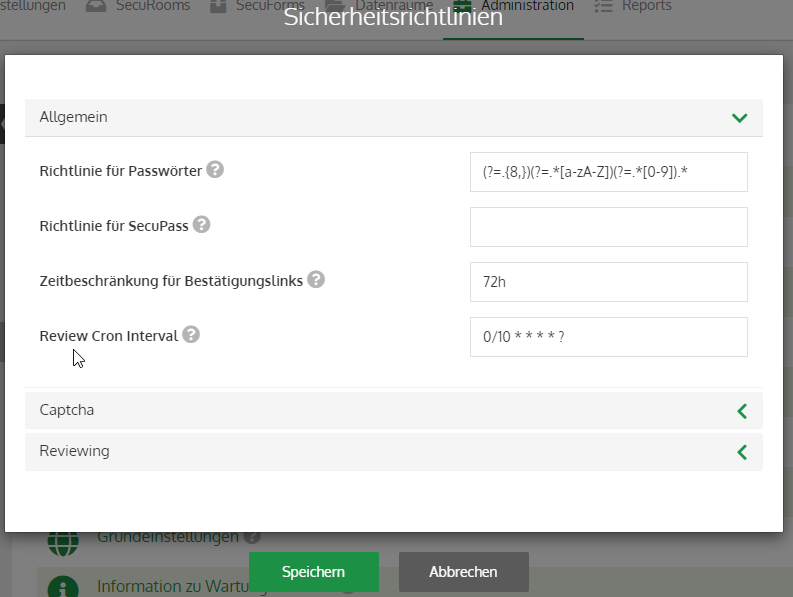
Policy for passwords & SecuPass
As an administrator, you can define how complex the password and SecuPass of users must be via a password policy.
The policy is set as a regular expression (Regex).
Note: For all customer systems set up on or after March 19, 2025, a password policy for passwords and SecuPass is enabled by default.
Currently recommended password policy (= standard for new customer systems from March 19, 2025)
Password contains:
- min. 8 characters, max. 100 characters
- min. 1 x lowercase letter,
- min. 1 x uppercase letter,
- min. 1 x number,
- min. 1 x special character from: [-~`!@#$%^&*()_+=|\/?.>,<;:”’]
Regex: ^(?=.{8,100}$)(?=.*[a-z])(?=.*[A-Z])(?=.*[0-9])(?=.*[^\w\s]).*
Further explanation of the regular expression / Regex syntax can be found here.
Time limit for confirmation links
Use this value to define the time frame within which the recipient's confirmation (e.g., for a data room invitation) must occur.
Captcha
To protect user accounts, a captcha challenge is triggered after failed login attempts. Additionally, the captcha challenge can be activated for SubmitBox (to prevent spam and DDoS).
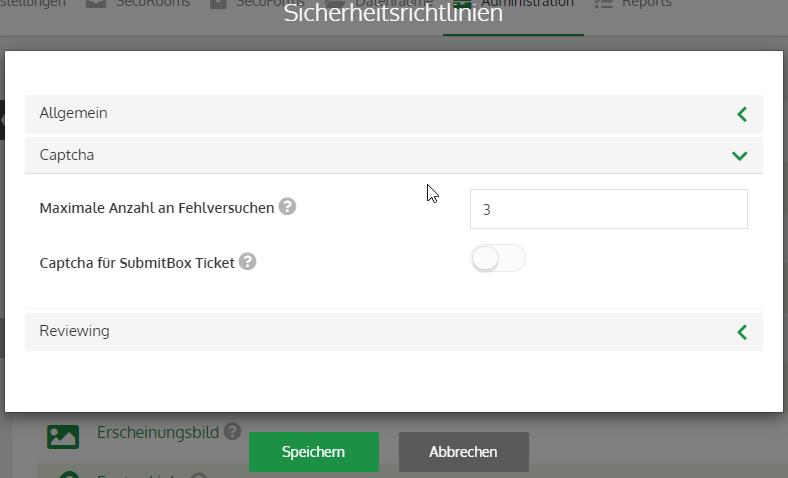
Maximum number of failed attempts
Number of failed login attempts before the captcha challenge is required. The default value is '3'.
Captcha for SubmitBox ticket
If activated, a captcha challenge will be triggered globally for all SubmitBox submissions in the organization. This is disabled by default.
Reviewing
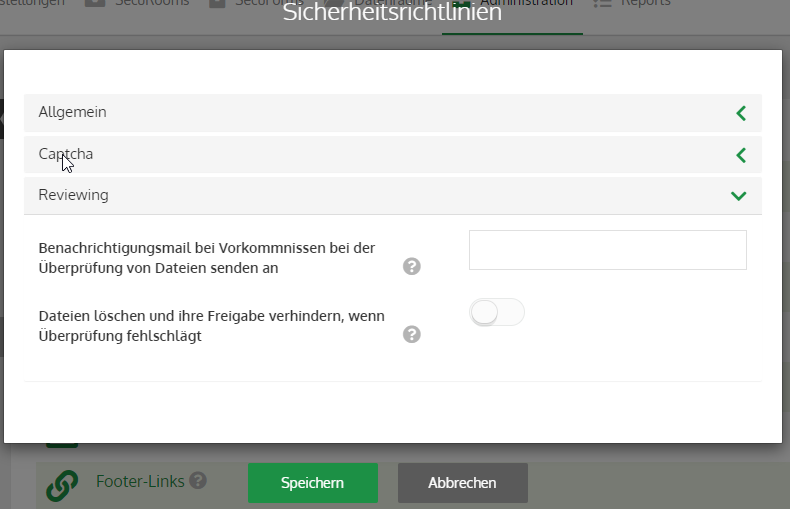
Send notification email for delivery check incidents to
Here you can specify email addresses to which a notification will be sent in the event of a violation of the security policies.
Block deliveries if check fails
If the system used for checking (e.g., virus scanner) is unavailable or if an error occurs during the check, you can define here whether deliveries should be blocked or allowed to pass.