📋 Cleanup Policies
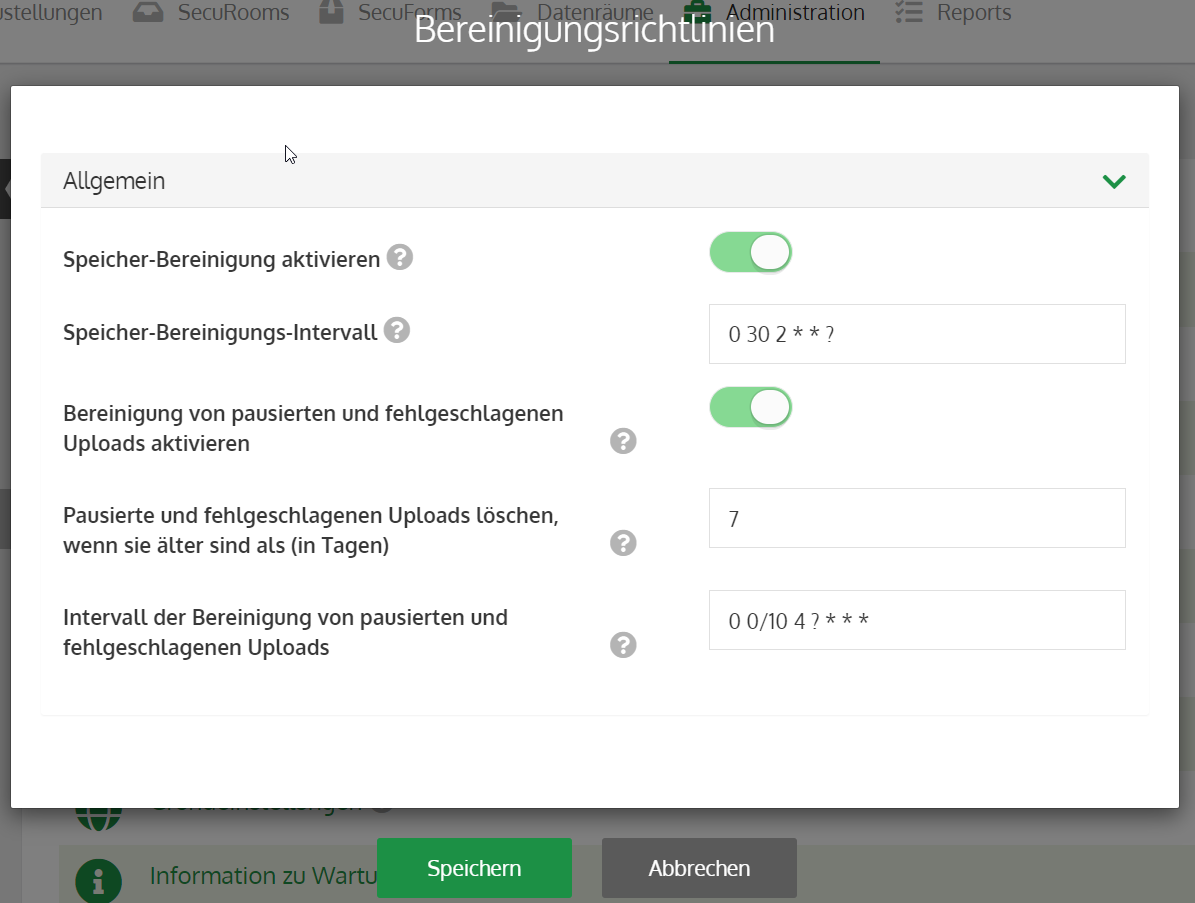
In this area, you can configure settings for automated cleanup jobs.
Enable storage cleanup:
Activates the delivery cleanup. This means you can define globally whether a cleanup should take place. Within the groups, you can specify exactly what and when should be cleaned up.
Storage cleanup interval:
Sets the interval for the cleanup. More detailed execution of the cron commands can be found in the box below.
Enable cleanup of paused and failed deliveries and data room uploads:
Activates the cleanup for paused deliveries and incomplete uploads in data rooms. For incomplete uploads in data rooms, only the files that have not yet finished uploading are unregistered. The uploaders receive an email notification from the system informing them which files were removed.
Delete paused and failed deliveries and data room uploads if they are older than (in days):
Determines how long paused and failed deliveries and data room uploads remain on the system.
Interval for the cleanup of paused and failed deliveries and data room uploads:
Sets the interval for the cleanup. More detailed execution of the cron commands can be found in the box below.
With cron expressions, you can determine exactly to the second when a certain function is executed. Furthermore, the interval at which it is repeated can be precisely defined. For example, the cron expression 0 0 3 ? means that the check should take place every day at 3:00 AM, or 0 59 * ? means that the check is performed every hour at the 59th minute. You can create a cron expression on this page: http://www.cronmaker.com/