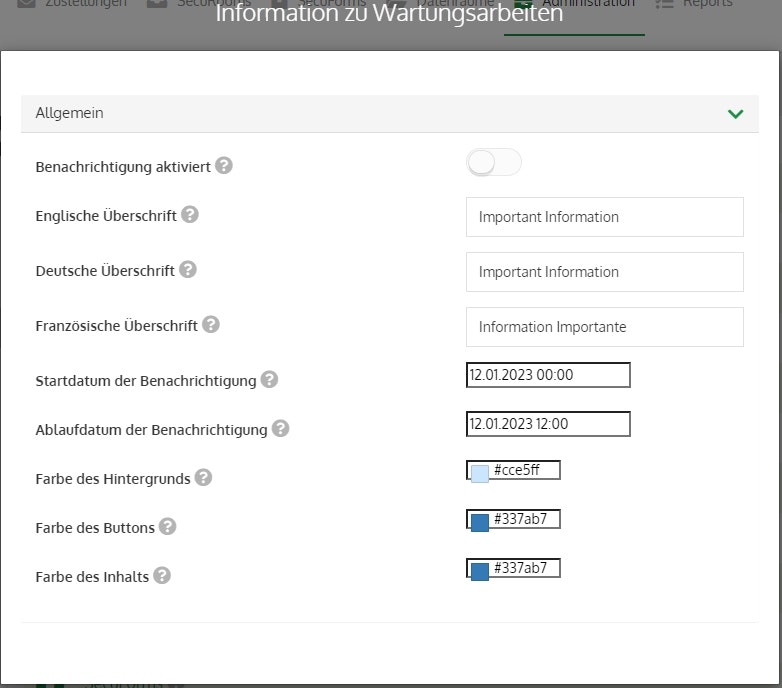
📋 Information on maintenance work
Here you can define when banner notifications regarding potential maintenance work (or other information) are displayed to logged-in users.
You can define the text in the banner under the following option: Administration > Notice > MaintenanceInfo
Notification activated
This allows you to fundamentally activate or deactivate the notification.
English / German / French heading
Depending on the selected language, a different text is displayed to the user. Here you can define the respective headings.
Start date / Expiry date of the notification
This allows you to define when the notification is displayed or from when it is no longer displayed.
Background color
The background color should be used to highlight the importance of the message. In general, we recommend: green, blue, yellow, and red.
Button color
The color of the "Close message" button.
Content color
Specifies the color of the text.