
📋 System: Configuring Brute-Force Protection
Configuring Brute-Force Protection
With these settings, you can configure protection against brute-force attacks. In most cases, the default values are sufficient. Changes should only be made with caution.
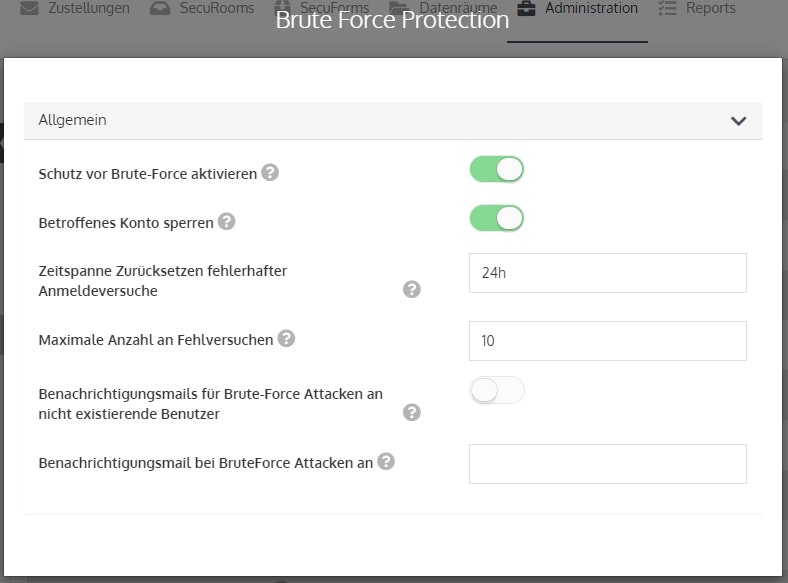
Options
Activate brute-force protection
Activates the protection mechanism. Administrators are informed via email about potential brute-force attacks.
Lock affected account
Accounts that are the target of an attack are automatically locked once the specified number of failed login attempts is reached.
Timeframe to reset failed login attempts
Defines the time after which individual failed attempts automatically expire. Each failed attempt is logged individually.
Maximum number of failed attempts
If the failed attempts have accumulated to the specified number, the brute-force protection takes effect and locks the affected account.
Notification email for brute-force attacks on non-existent users
If login attempts are made for non-existent users, the administrator can be notified via email.
Notification email for brute-force attacks to
Here you can enter the email address that will be informed in the event of a brute-force attack.