
📋 Security: Restrict available security levels per group
An explanation of the security levels and their respective use cases can be found here:
https://support.ftapi.com/de/article/die-ftapi-sicherheitsstufen-erklart
The use of these levels can be restricted by the administrator within the groups.
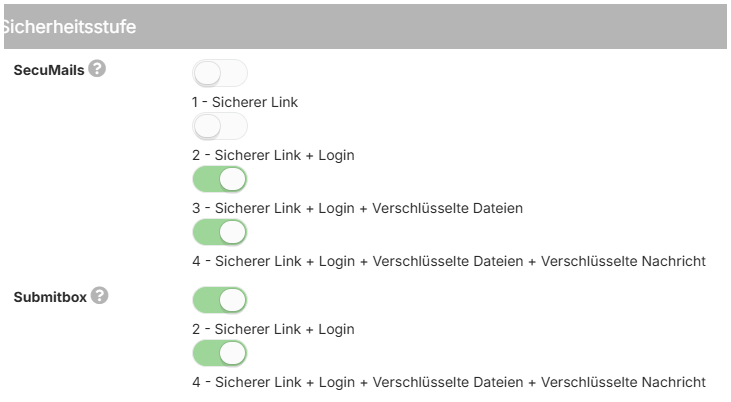
Security levels for SecuMails
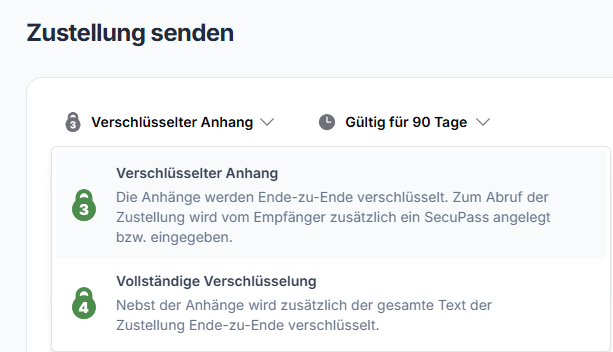
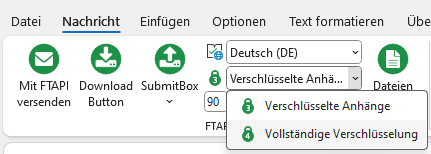
In SecuMails and the FTAPI Outlook Add-In, the lowest permitted security level is pre-selected when creating a new delivery. Users can only select the security levels that have been activated in the group configuration.
SecuMails view:
Outlook Add-In view:
Security levels for SubmitBoxen
If the owner of the SubmitBox has the right to receive SubmitBox deliveries at level 4, the corresponding SubmitBox deliveries will always be made at this level. If only level 2 is permitted, SubmitBox deliveries will analogously only be made at this level.

No registered account or SecuPass-Key is required for the sender to use a SubmitBox.