
📋 SecuRooms: Managing the trash for deleted files
The trash function allows administrators to restore files and folders that were previously deleted by users in SecuRooms. Deleted objects remain in the trash for 30 days and are then permanently deleted. The user storage quota remains occupied until the files and folders are permanently deleted.
New with version 4.56: Admins now have the option to remove the trash.
Please note: The new function applies to deletions in SecuRooms. Data rooms that are deleted via the data room management in the administration are irrevocably deleted and cannot be restored via the trash.
Accessing the trash
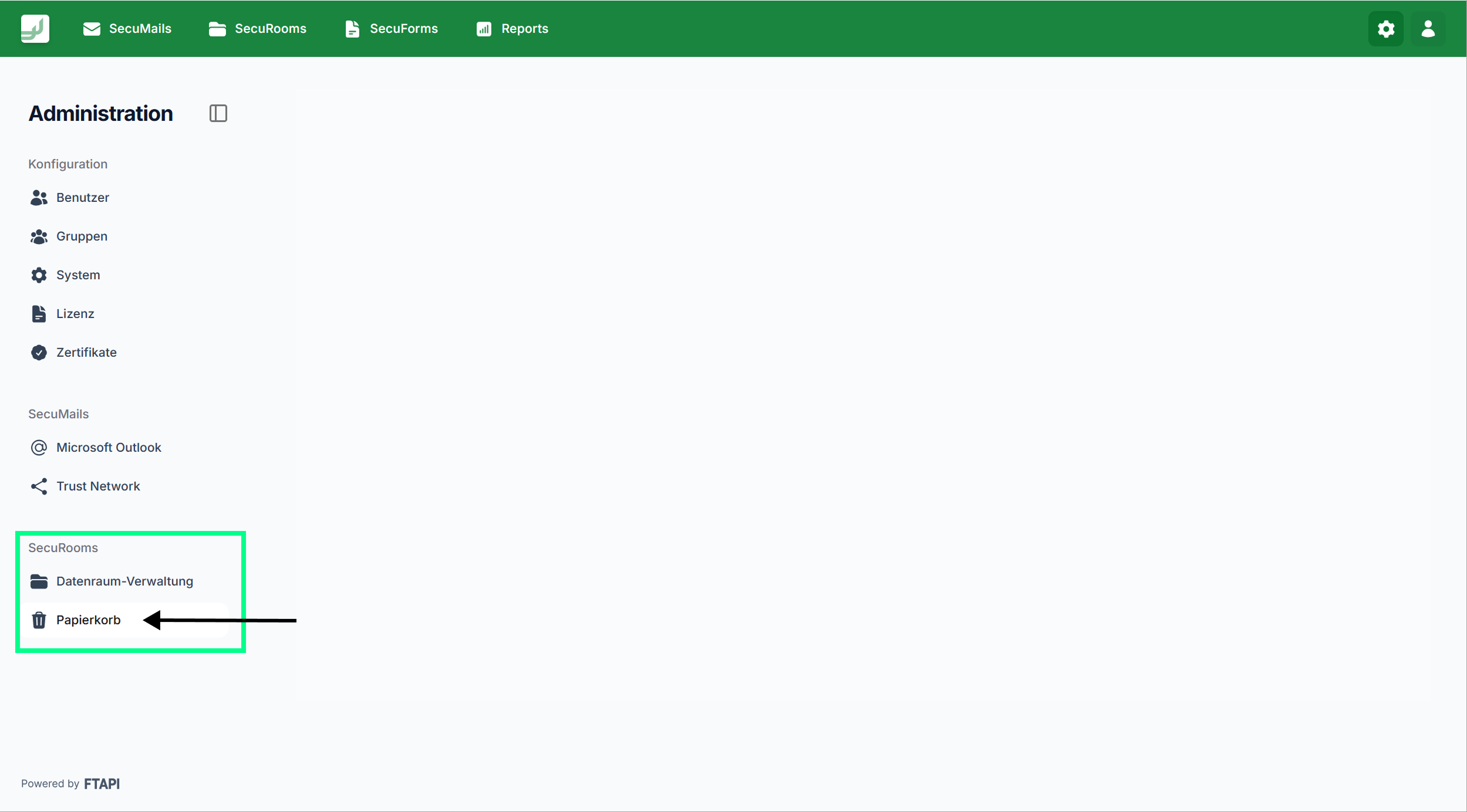
You can find the trash in the Administration area, in the navigation bar under SecuRooms:
Working with the trash
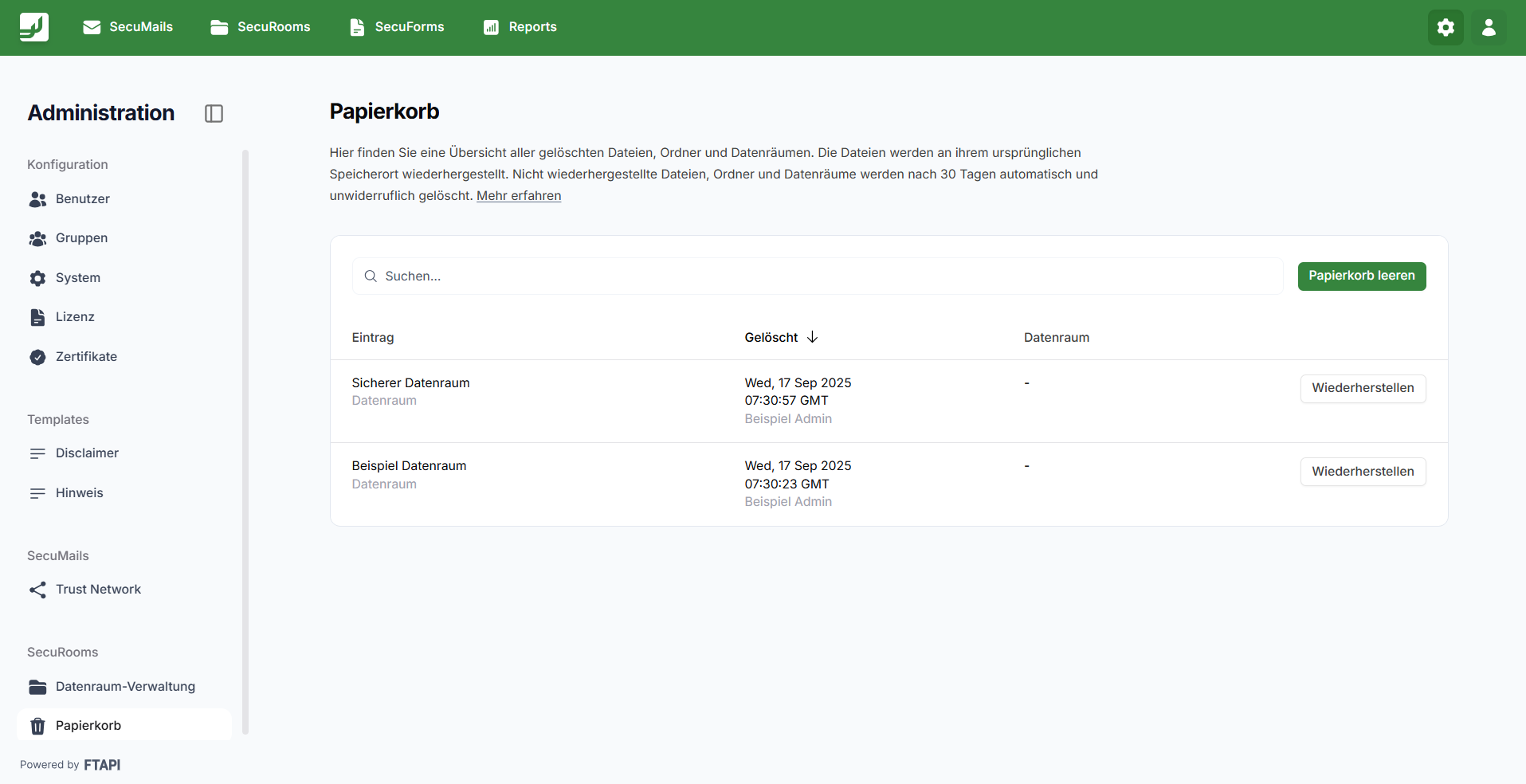
Administrators can search for items in the trash. It is also possible to sort the contents by the criteria "Item", "Deleted", and "Data room".
Details on restoration via the trash
- Restoration is logged in the Audit Trail.
- When restoring files and folders, original metadata (e.g., upload timestamp, user) is preserved.
- When restoring folders, all contained files and subfolders are also restored.
- When restoring files, the activity history and all active versions are preserved.
Trash and file versions
File versions are kept in the data room for 30 days and then irrevocably deleted. This means file versions do not end up in the trash.
Trash and deletion periods
Individual deletion periods can be set for data rooms. After the deletion period expires, the files are kept in the trash for another 30 days.
Emptying the trash completely
If you want to free up storage space, you have the option to empty the trash completely using the "Empty trash" button. This will delete all contents and free up the storage space. This process cannot be undone.
Deactivating the trash
If you do not want to work with the trash, for example to save storage space, you can now simply de-/activate it in the SecuRooms settings with a toggle. Please note: If you deactivate the trash, all data contained within it will be deleted immediately.
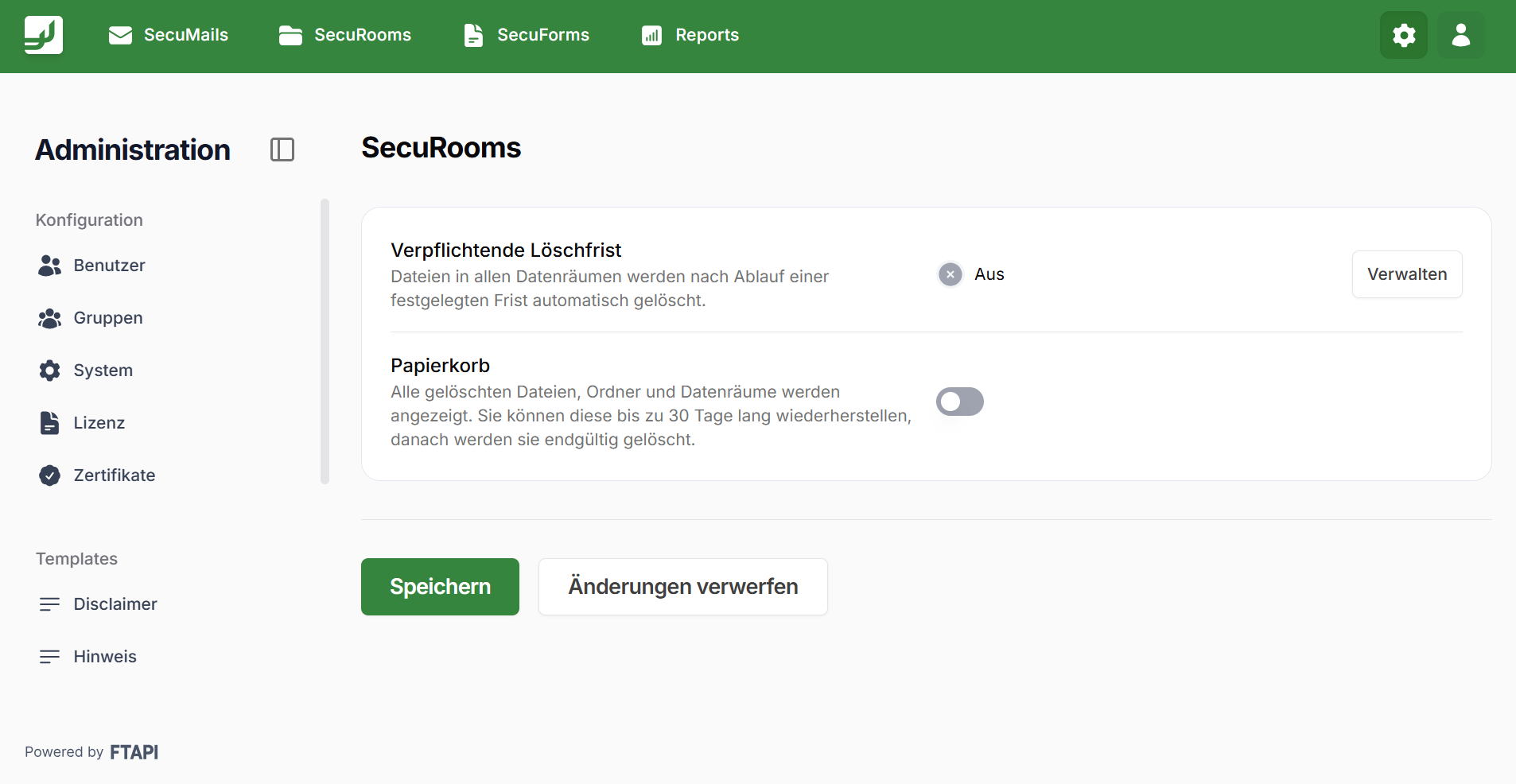
We recommend that you work with the trash, as it protects you from data loss.
If you deactivate the trash, data will always be deleted immediately and irrevocably. To save storage space, you can also empty the trash at any time.