📋 Outlook Add-In (classic): Registration and initial login with SSO
This quick guide describes the necessary steps for the initial login to the Outlook Add-In, including entering the server address, username, and using SSO.
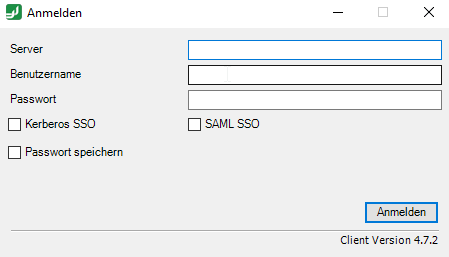
When starting Outlook for the first time after the FTAPI Outlook Add-In has been installed, a login screen will appear. You are required to log in with the following information:
- Server (= domain for the FTAPI environment)
- Username*
- Password*
Afterwards, select "Save password" to pre-fill the login screen for future logins.
*If your organization uses the Single-Sign-On method for login, you do not need to enter a username and password. Instead, please click on "SAML SSO" and follow the subsequent steps for authentication.
Please ask your IT administrator for the server domain and information on whether your organization uses the Single-Sign-On method for FTAPI.