
📋 SubmitBox: Defining allowed file types for submissions
This article is a guide for administrators on how to define the allowed file types for submissions in the SubmitBox via the global template configuration.
It is possible to restrict the file types that can be used for sending via the SubmitBox.
Defining allowed file types
- In the web interface, open "SecuForms" in the top tab.

- Navigate to
Konfiguration>Globale SubmitBox-Vorlage bearbeiten. - Under
Benutzerdefinierte Felder>Files, find the field for specifying "Allowed file types".
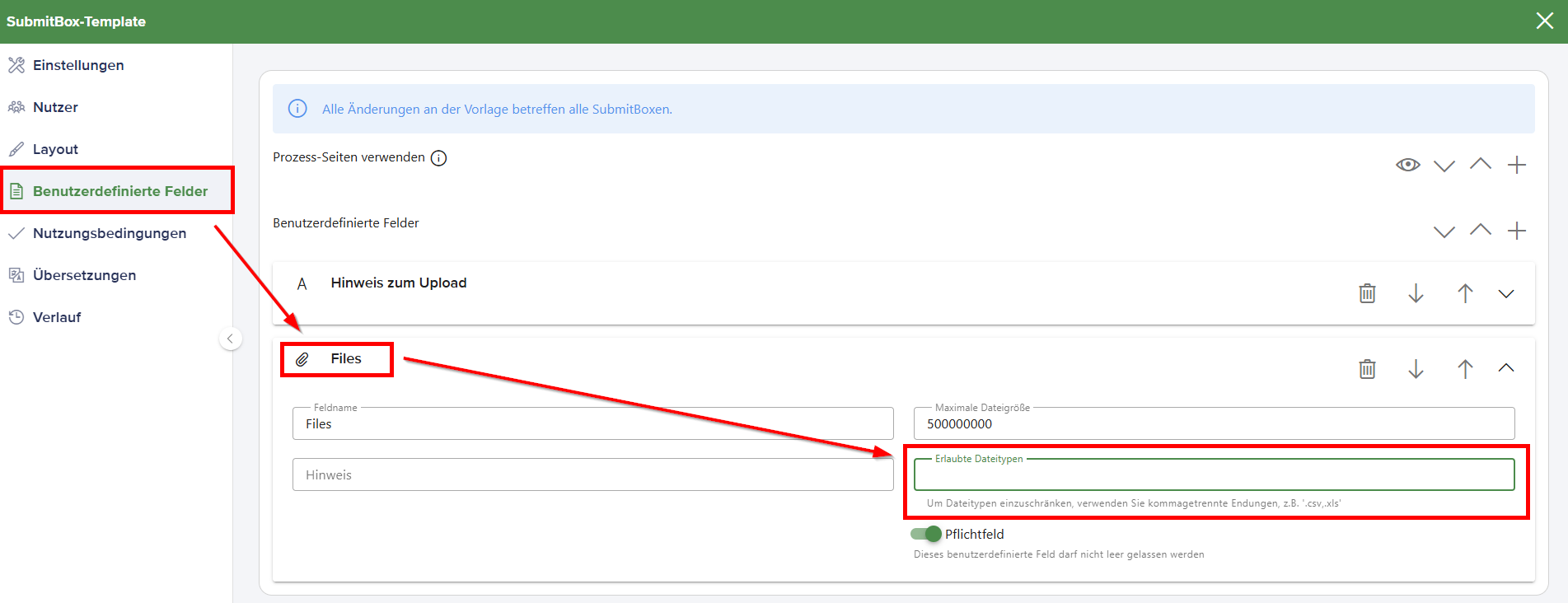
- Enter the allowed file types here and separate the values with a comma, e.g.,
.csv,.xls