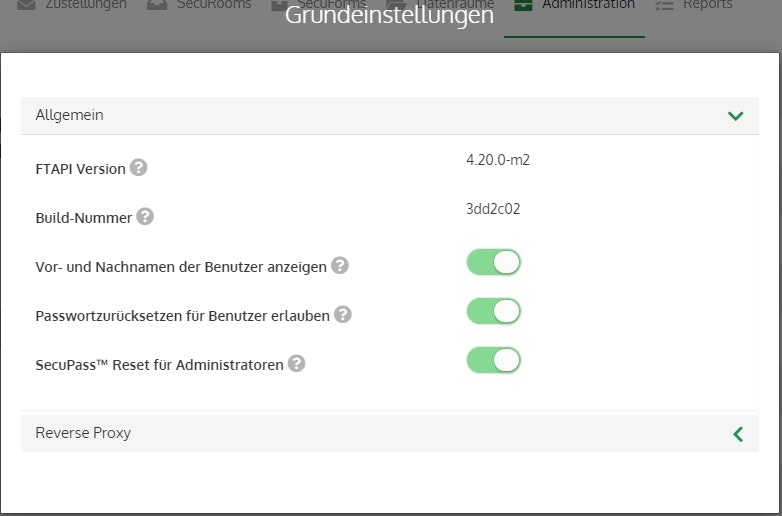
📋 Basic Settings
Here you can configure the most important basic settings for your FTAPI system.
FTAPI version / build number
Here you can view the FTAPI version you are currently using. This information is primarily useful for support purposes.
Base URL
Your FTAPI system is accessible via the base URL. The base URL must be reachable via the internet if you want to exchange files with partners and customers using FTAPI software and this is intended to happen over the internet.
The default setting is: Base URL = https://localhost:443
Administrator email address
This is the email address of the "base" administrator to whom all relevant system emails are sent.
Ensure that this address belongs to the person who manages your FTAPI system.
Display first and last names of users
Use this to set whether, for example, the username or the first and last name should be displayed for deliveries.
Allow password reset for users
Allows users to reset their password at login if they have forgotten it.
If this function is disabled, users who have forgotten their password must contact a user administrator.
Only system users can log in
With this function, you can ensure that no user suffers any data loss while you are, for example, making changes to the system.
SecuPass reset for administrators
If this option is enabled, user admins are able to reset the SecuPass of users.
This option does not allow admins to read the SecuPass of users.