
❓ Storage Quota: How group settings affect storage consumption
The storage quota is defined at the group level and affects the storage available to the user. Sent SecuMail deliveries, received SubmitBox deliveries, and files in SecuRooms are combined in the quota.
Checking the used quota
The current consumption can be viewed by the user via "My Account".
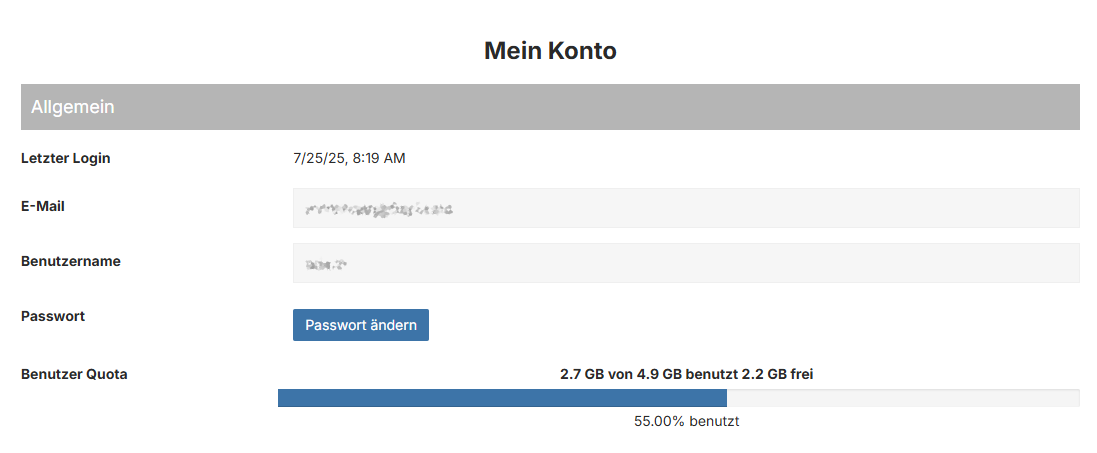
The administrator can view the quota in the user management or in the user reports.
Cleaning up the quota
The delivery cleanup deletes deliveries after their validity expires, thus automatically freeing up storage again.
If the quota is exhausted, the user can no longer send deliveries or store files in SecuRooms. Furthermore, no deliveries can be received via the SubmitBox.
In this case, the following options are available:
- Deletion of already downloaded deliveries
- Deletion of received SubmitBox deliveries after download
- Shortening of delivery validity: deliveries are cleaned up faster
- Increase of the (group) quota by the administrator
Adjusting the quota
The storage quota for a group can be adjusted in the configuration under "Groups" > "Maximum storage".
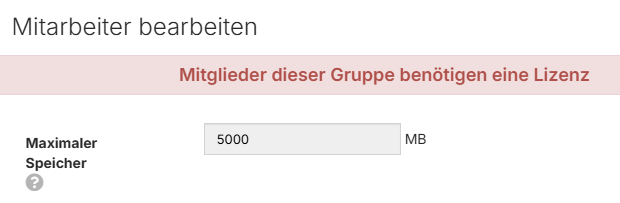
The value is dominant, meaning that in the case of membership in multiple groups, the highest value applies.
It may make sense to create a dedicated group with a high quota for, e.g., SecuRoom users.
This can prevent, for example, all employees from receiving an unnecessarily high quota.