📋 FTAPI Gateway: Example Setup Scenario A
This guide describes the configuration for Scenario A, where a mail server is used with an upstream FTAPI Gateway.
Scenario A: Mail server (Cloud or On-Prem) with upstream Gateway
Outbound: The mail server forwards emails to FTAPI S/MIME, where they are signed/encrypted. Afterward, they are forwarded to the Security Gateway and sent from there to the internet.
Inbound: Emails arrive from the internet at the Security Gateway, are checked there, and subsequently forwarded to FTAPI S/MIME. After decryption, FTAPI forwards the emails to the mail server.
Exchange (onpremise)
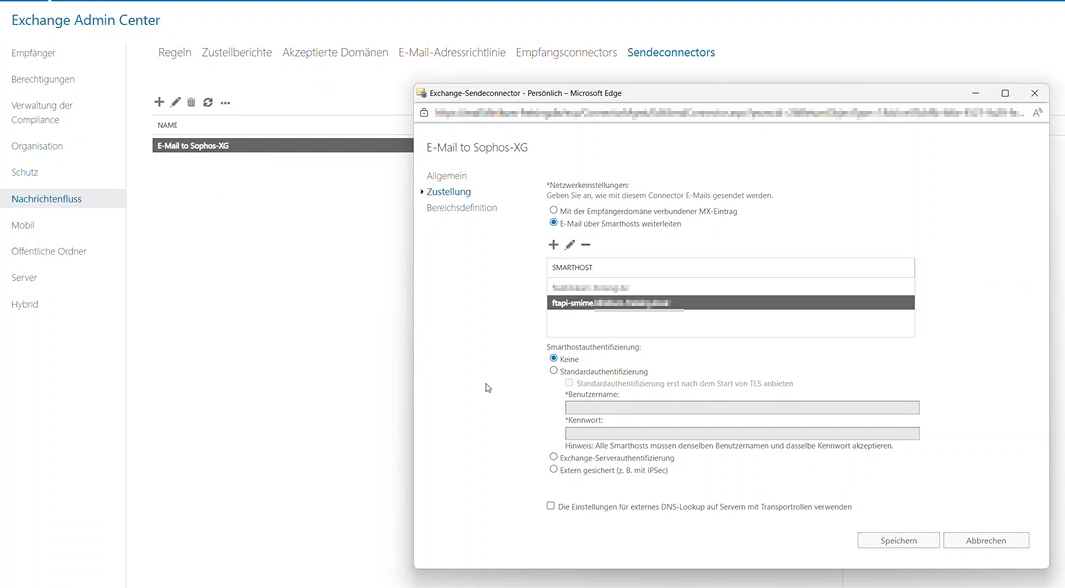
Send connector (Exchange -> Gateway)
Exchange Admin Center -> Mail flow
- Delivery
- "Add smart host"
- IS: <FQDN of the gateway>
- SHOULD: <FQDN of the FTAPI Gateway>
- "Add smart host"
Receive connector (Gateway -> Exchange)
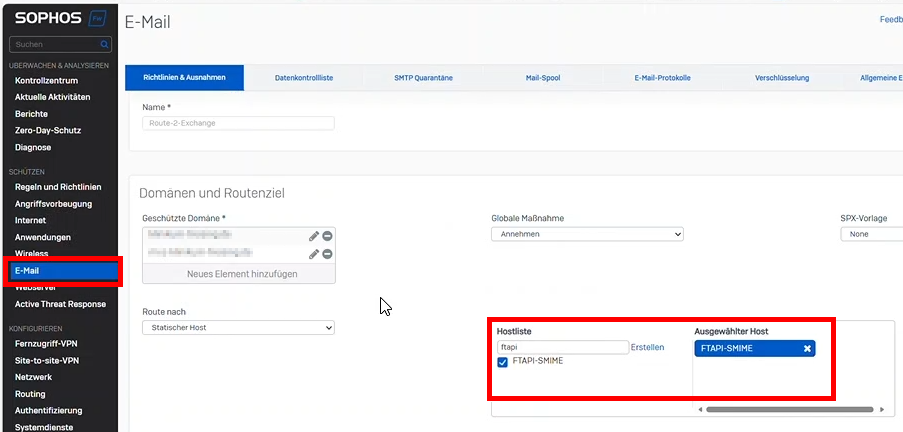
(Example SOPHOS XGS)
-> Protect -> Email -> "Policies & Exceptions"
- Policies (to Exchange)
- "Route to"
- Host list
- IS: <FQDN of the Exchange server>
- SHOULD: <FQDN of the FTAPI Gateway>
Exchange Online
"Add a connector" -> outbound
- Connection from
- Office365
- Connection to
- Your organization's email server
- Name
- e.g.: "FTAPI S/MIME Outbound Connector" -> activate
- e.g.: "FTAPI S/MIME Outbound Connector" -> activate
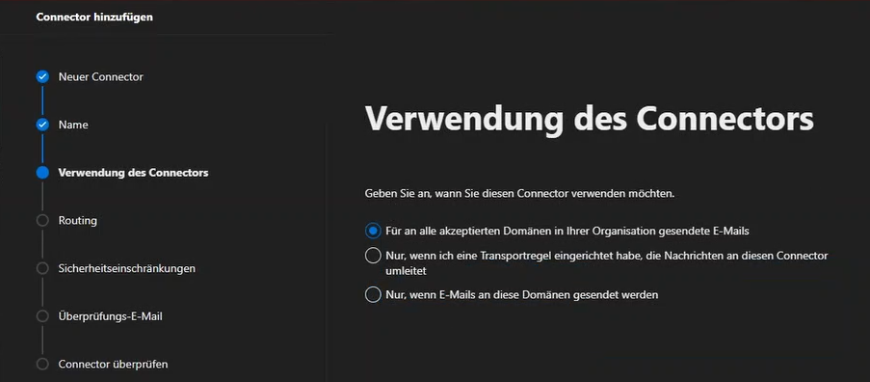
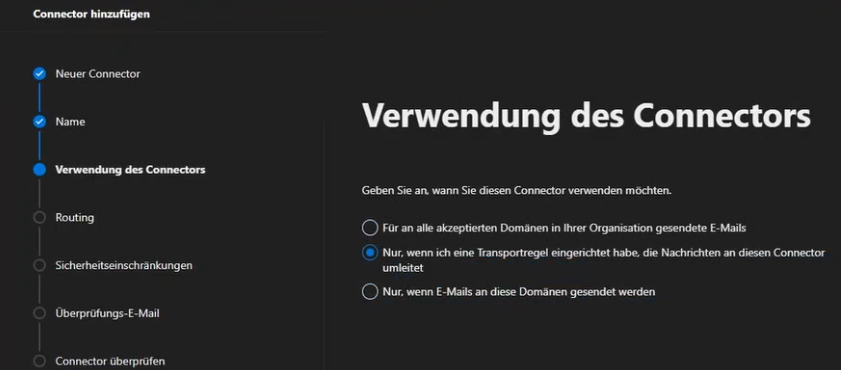
- Usage
- Only when I have a transport rule set up
- Only when I have a transport rule set up
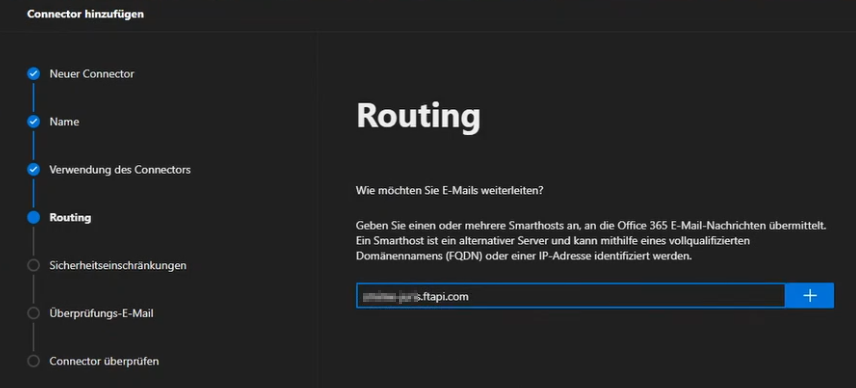
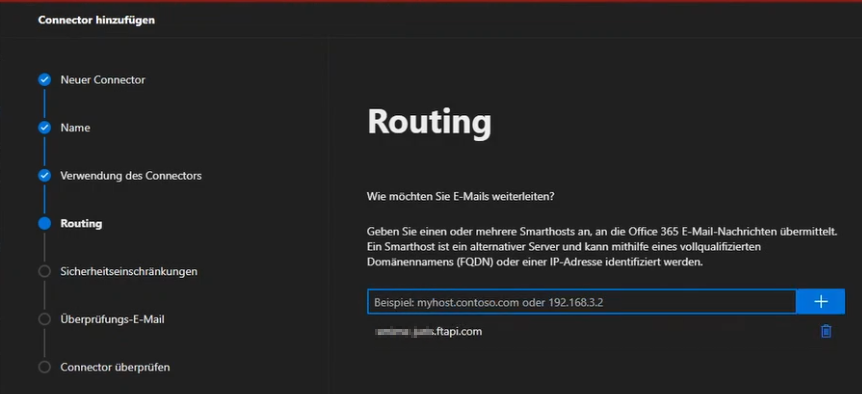
- Routing
- FQDN of the FTAPI Gateway, e.g. "smime-customer.ftapi.com"
- FQDN of the FTAPI Gateway, e.g. "smime-customer.ftapi.com"
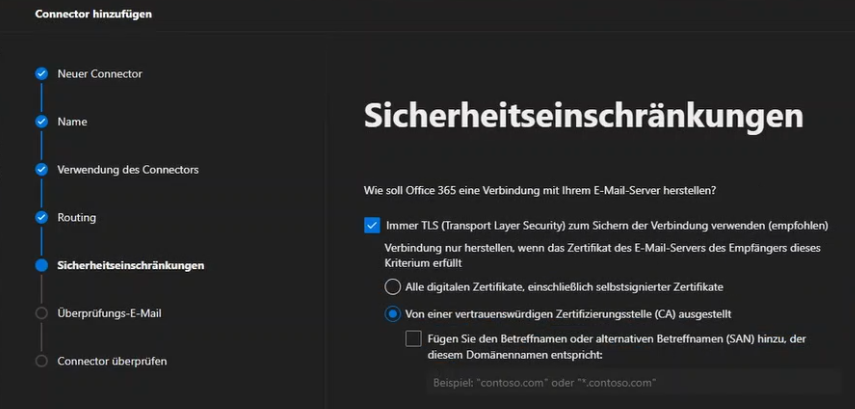
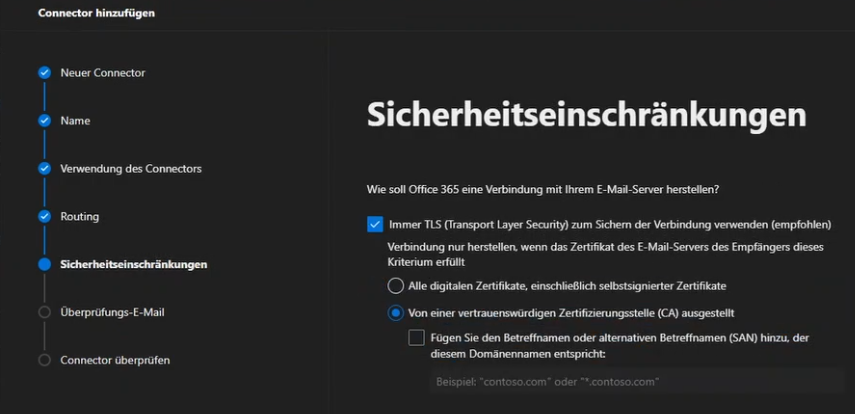
- Security restrictions
- Issued by a trusted certificate authority (CA)
- Issued by a trusted certificate authority (CA)
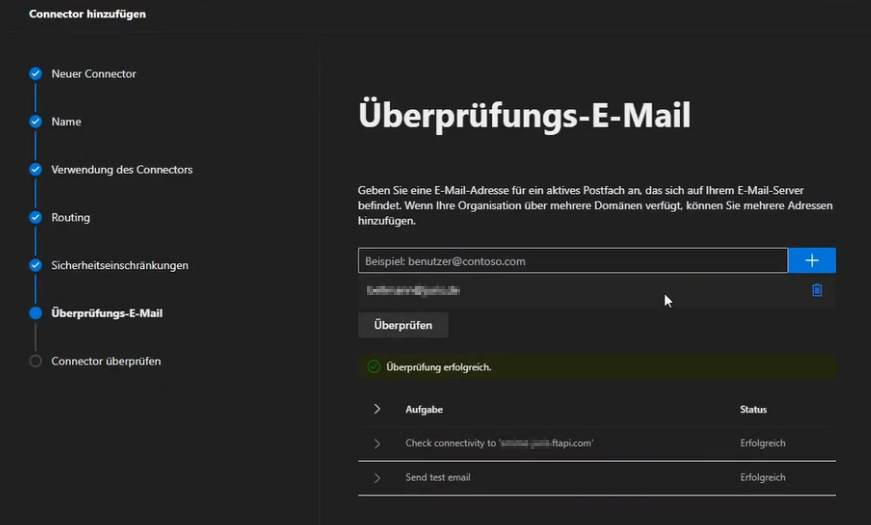
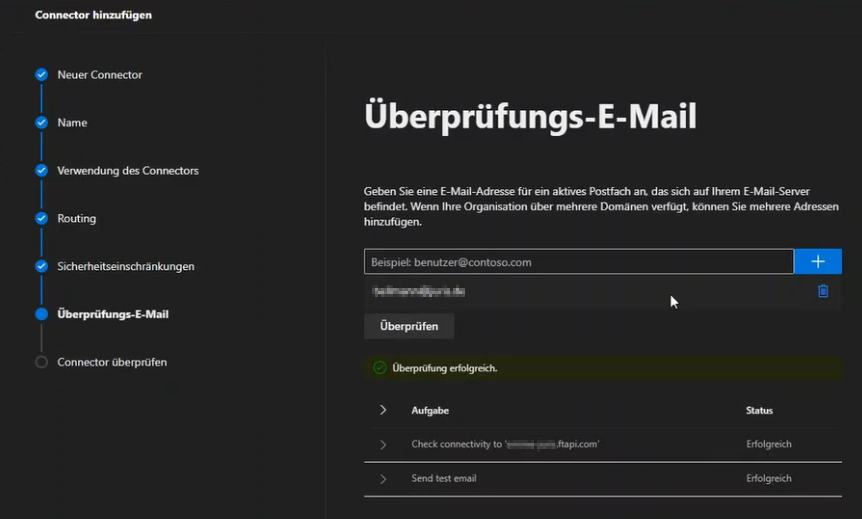
- Validate and create connector

"Add a connector" -> inbound
- Connection from
- Your organization's email server
- Connection to
- Office365
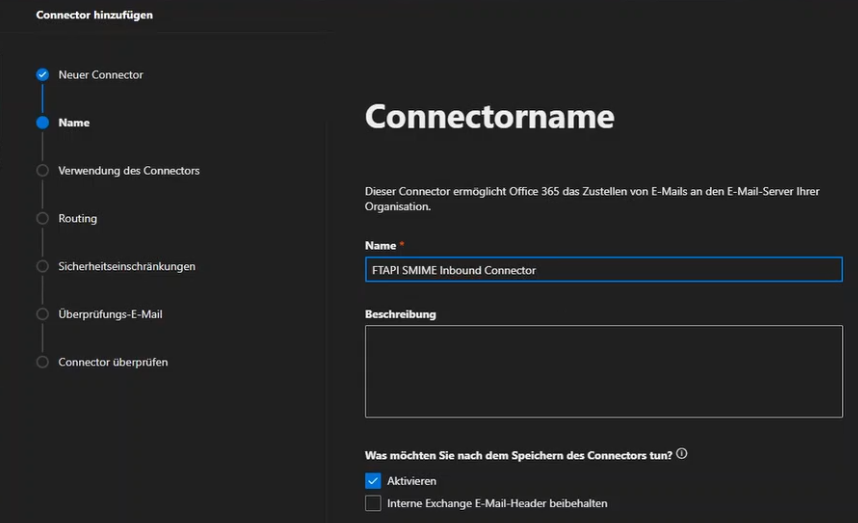
- Name
- e.g.: "FTAPI S/MIME Inbound Connector" -> activate
- e.g.: "FTAPI S/MIME Inbound Connector" -> activate
- Usage
- Only when I have a transport rule set up
- Only when I have a transport rule set up
- Routing
- FQDN of the FTAPI Gateway, e.g. "smime-customer.ftapi.com"
- FQDN of the FTAPI Gateway, e.g. "smime-customer.ftapi.com"
- Security restrictions
- Issued by a trusted certificate authority (CA)
- Issued by a trusted certificate authority (CA)
- Validate and create connector
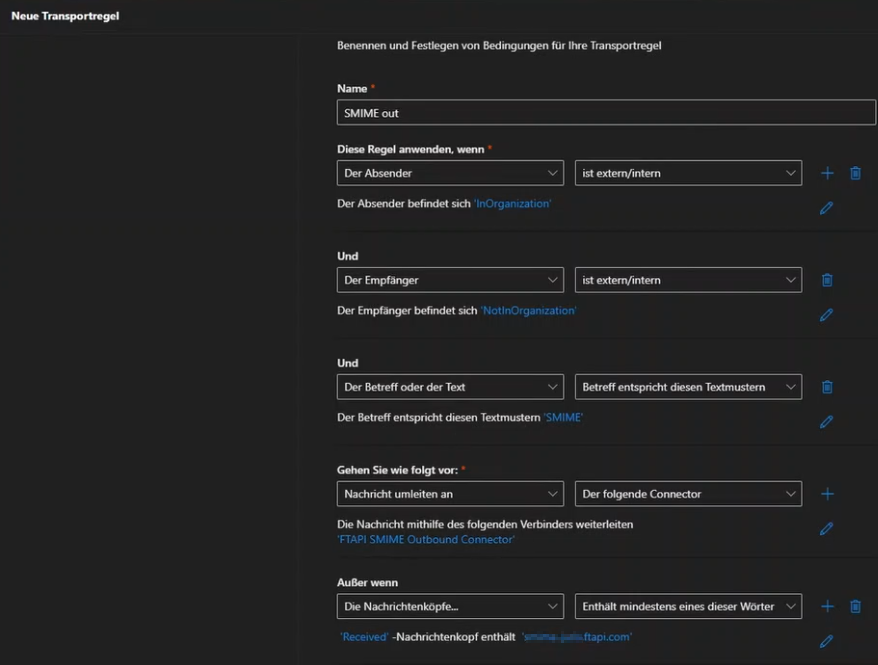
Rules
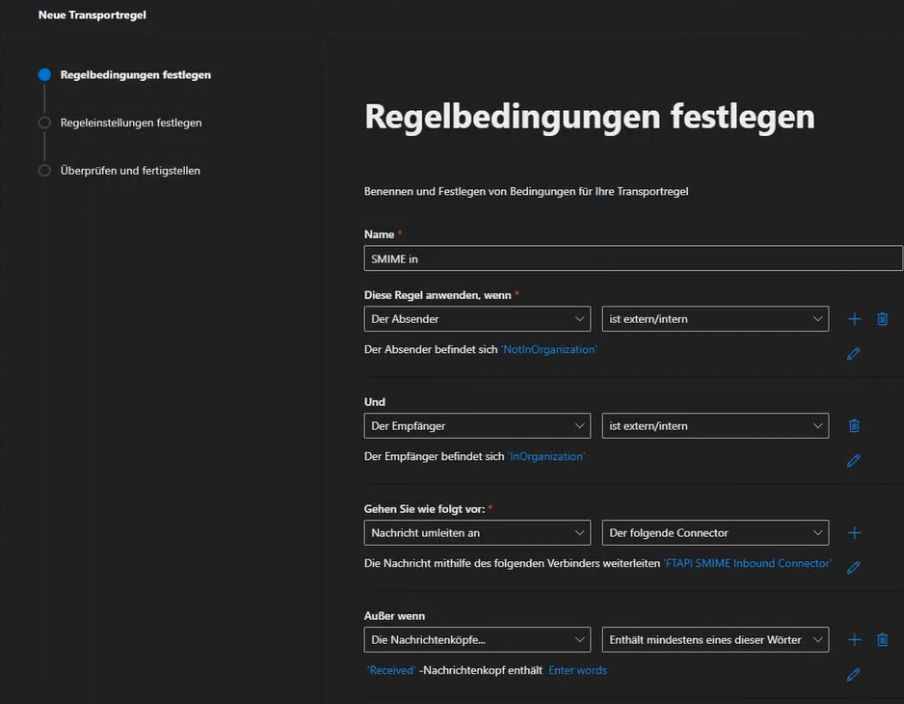
Inbound
"Add a rule"
- Name e.g. "S/MIME inbound"
- Apply this rule if
- The sender is external/internal
- The sender is "Outside this organization"
- and
- The recipient is external/internal
- The recipient is "Inside this organization"
- Do the following:
- Redirect the message to -> the following connector
- <FTAPI S/MIME Inbound Connector>
- Redirect the message to -> the following connector
- Except if
- The message headers… include any of these words
- Enter text: "Received"
- Enter words: <FQDN of the FTAPI Gateway>
Outbound
"Add a rule"
- Name e.g. "S/MIME outbound"
- Apply this rule if
- The sender is external/internal
- The sender is "Inside this organization"
- and
- The recipient is external/internal
- The recipient is "Outside this organization"
- Do the following:
- Redirect the message to -> the following connector
- <FTAPI S/MIME Outbound Connector>
- Redirect the message to -> the following connector
- Except if
- The message headers… include any of these words
- Enter text: "Received"
- Enter words: <FQDN of the FTAPI Gateway>