📋 SubmitBox: Configure upload limit (maximum file size)
This article explains the default upload limit of the SubmitBox and provides administrators with a guide on how to adjust this value via the global SubmitBox template.
Files with a size of up to 100 GB can be submitted via the SubmitBox.
How can I change the upload limit for the SubmitBox?
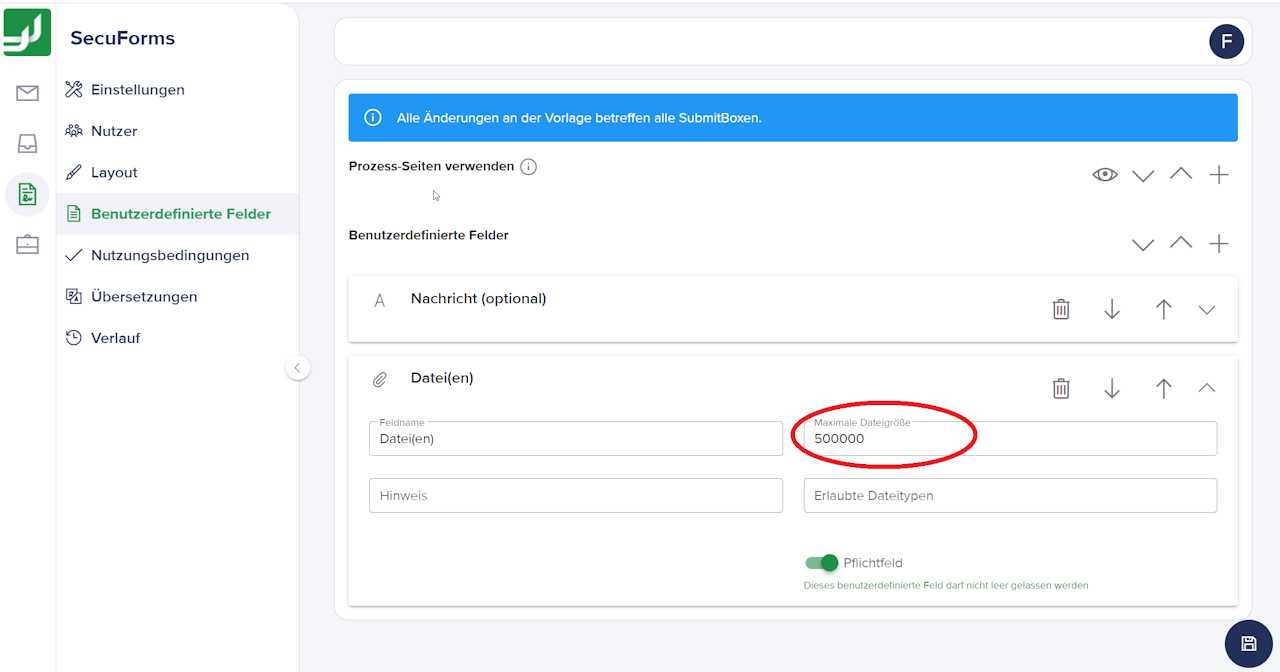
Users with an FTAPI account with extended rights can adjust the upload limit for the SubmitBox. To change the upload limit, navigate to: "SecuForm > Edit global SubmitBox template > Custom fields > Files"
Under "Maximum file size" you can adjust the limit in KB:
1,000 KB = 1 MB
1 GB = 1,000 MB = 1,000,000 KB