
❓ Outlook Add-In (new): SecuMails are sent unencrypted
Symptom
The user is logged into the FTAPI Outlook Add-In. When sending a SecuMail, an HTTP 400 Bad Request becomes visible in the Network tab of the Outlook Developer Tools. The delivery is sent unencrypted, even though the Add-In is open.
The Outlook Developer Tools can be opened via the command line using
olk.exe --devtools. The window will appear automatically the next time Outlook is started.
Cause
The FTAPI Outlook Add-In in the new Outlook is based on Microsoft's web add-in architecture and uses cloud-based services to exchange data between the compose window and the add-in. If the Turn on optional connected experiences setting is disabled in the privacy settings, Microsoft blocks this communication. The add-in cannot correctly intercept the sending process, and the delivery is sent unencrypted.
Solution
The affected person must enable the following setting in Outlook:
Settings > General > Privacy and data > Privacy settings
There, turn on the switch for Turn on optional connected experiences.
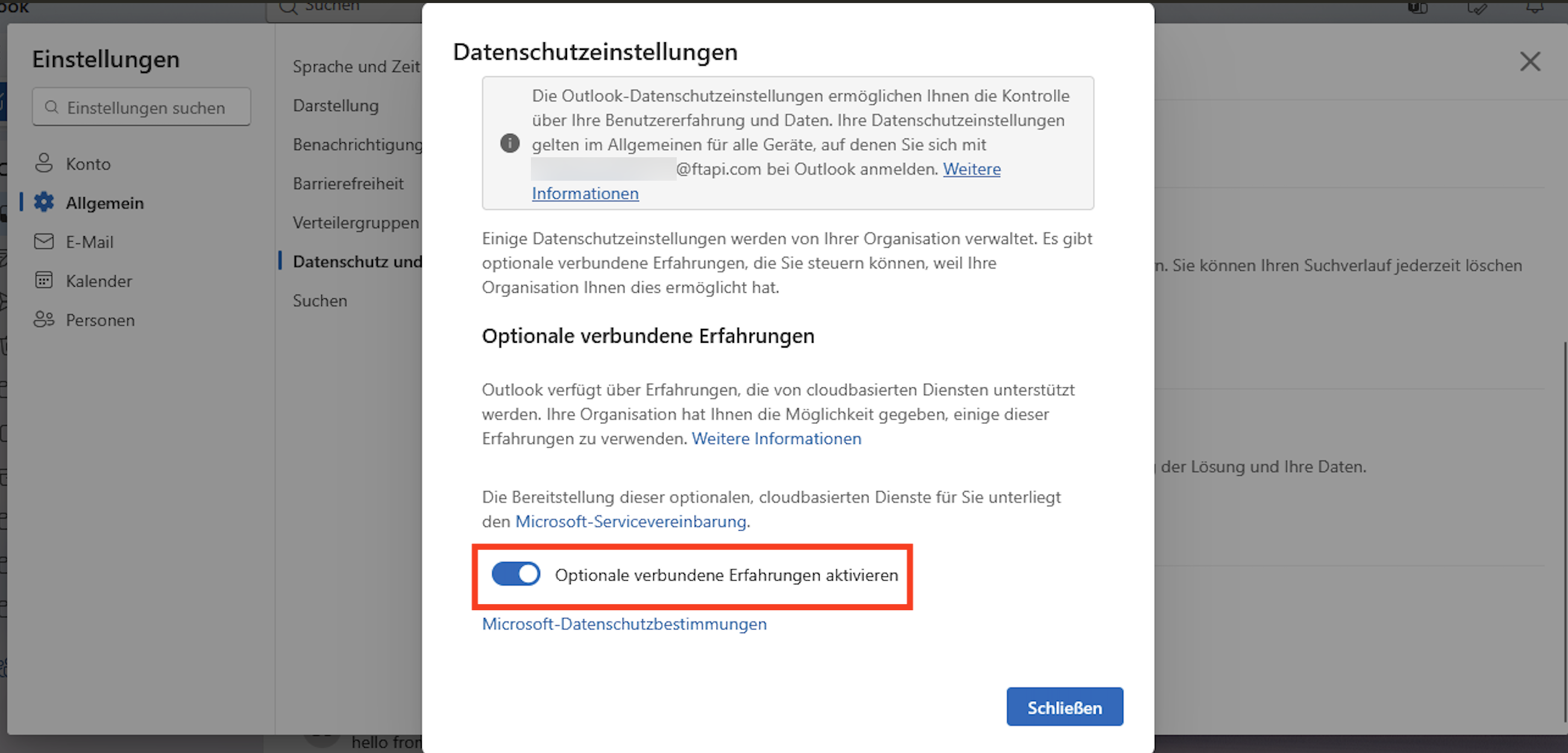
After enabling this setting, the sending of SecuMails via FTAPI will be correctly encrypted again.
Note for administrators
In O365 environments, this setting may be disabled by organizational policies. IT administrators can control this value centrally via the Microsoft 365 Admin Center or via PowerShell.
Related articles
Outlook Add-In (new): Rollout via Microsoft 365 Admin Center
Outlook Add-In (new): Central configuration via PowerShell