
📋 Delivery: Understanding validity period and configuring it at group level
What is the validity period?
Countless data are exchanged daily, many of which lose their relevance over time. To effectively manage the data lifecycle, a validity period can optionally be set when sending files with FTAPI. The default setting is 90 days.
Once the defined validity period has expired, the recipient can no longer access or download the sent files.
Configuring the validity period
Administrators can centrally manage the settings for the validity period. The configuration is part of the group management and can therefore be individually adjusted for different user groups.
To do this, navigate to Administration > Groups and select the desired group. Scroll to the Cleanup section.
To configure automatic deletion, make the following settings:
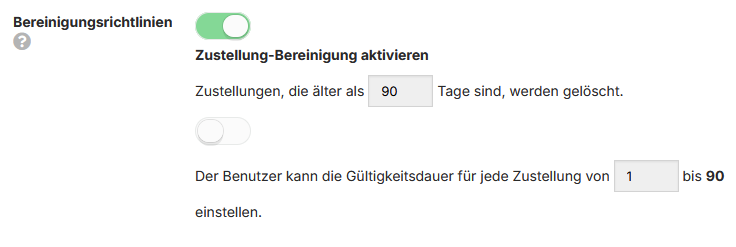
- Activate the option "Enable delivery cleanup".
- Enter the desired time period in days in the field "Deliveries older than
- Additionally, you can determine whether users are allowed to adjust the validity themselves by configuring the option "The user can set the validity period for each delivery from 1 to 90" accordingly.
Important note: For the group-based cleanup to take effect, storage cleanup may first need to be activated globally under
Administration > System > Cleanup policies.
What happens after the validity expires?
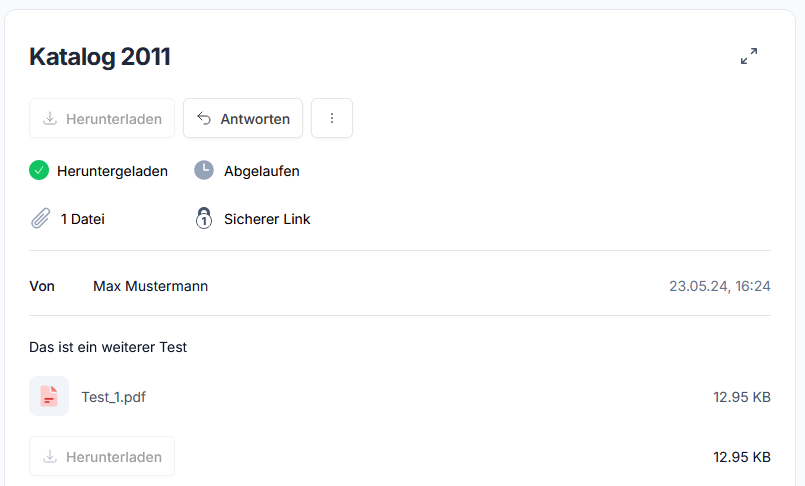
As soon as the validity period of a delivery is reached, the associated files are automatically deleted by the system. From this point on, the recipient no longer has the option to download the content.
However, the delivery itself remains visible as an entry in the sender's outbox. This serves for documentation and traceability, ensuring that it can be proven at any time when which delivery was sent to whom.
Automated cleanup
The FTAPI system uses automated cleanup processes to remove expired data. Administrators can find the central settings for this under Administration > System > Cleanup policies.
Here, you can not only activate the delivery cleanup globally but also define the interval at which the cleanup is executed. There are also separate settings to enable the cleanup of paused and failed deliveries and to define their retention period.