
FTAPI Version 4.55.0
Automatic sending rules for the new Outlook can now be managed centrally from the web interface.
New
SecuMails
- Manage automated sending rules for the new Outlook Add-in centrally from the web interface: Rules can now be defined for the new Outlook that enable automated sending via FTAPI. The configuration for this is located centrally in the web interface. Learn more.
Good news: The new Outlook Add-in is now available in the Microsoft App Store. - See at a glance if some recipients have already downloaded a delivery: In the outbox of the web interface, you can now see at a glance whether deliveries to multiple recipients have already been downloaded by some of them. Previously, it was already possible to see whether a delivery had not yet been downloaded by anyone (no checkmark) or by all recipients (green checkmark). Now you can also see if the delivery has already been downloaded by some of the recipients (gray checkmark). You can see who has already downloaded the delivery in the activity log as usual.
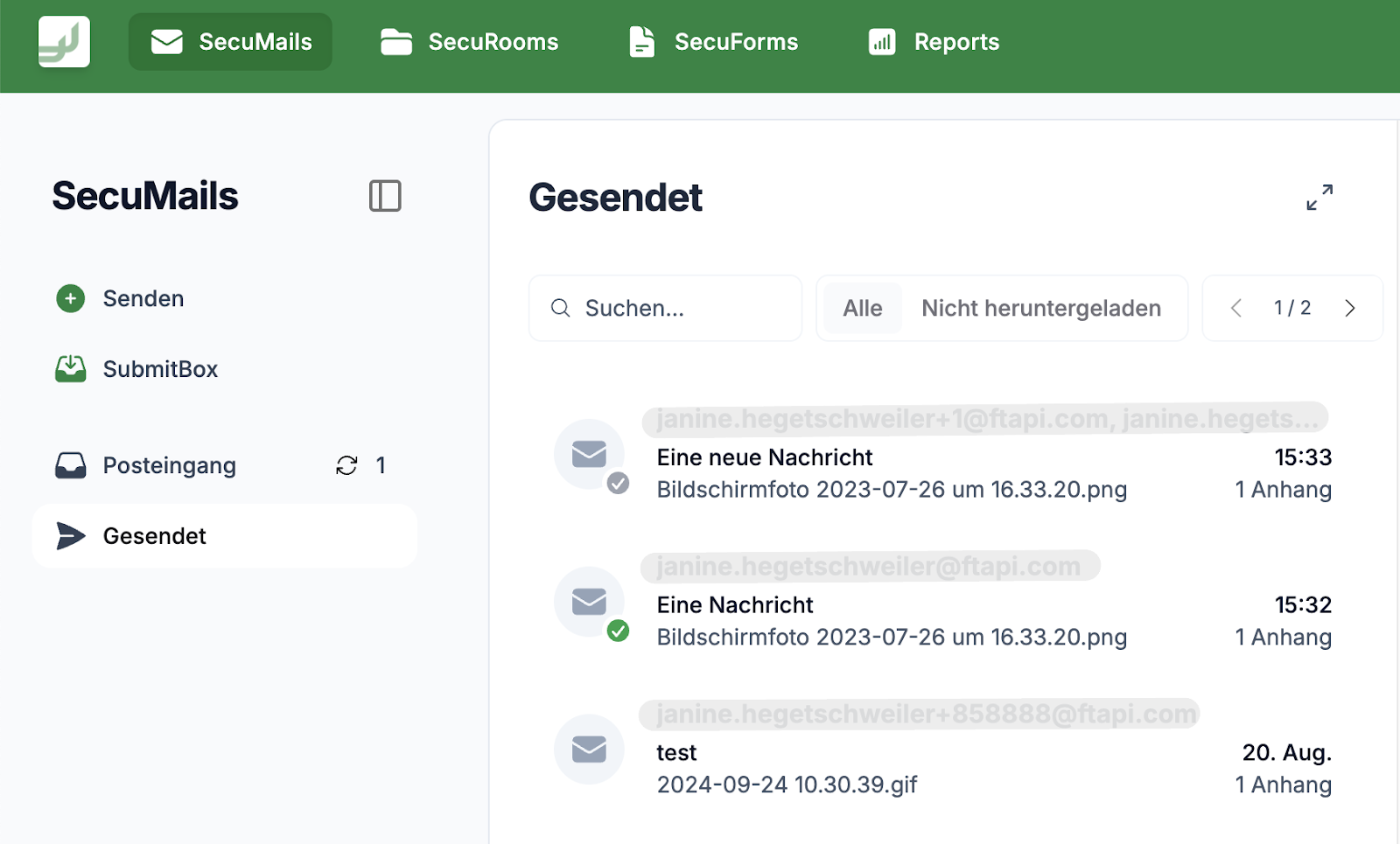
- Further improvements for even more accessibility: Keyboard navigation in the web interface has been optimized.
Improved
SecuRooms
- Uploading files up to 100 GB is possible again: A bug caused the file upload of files with several gigabytes to fail in some cases. The bug has been fixed, and uploads are once again possible as usual for files up to 100 GB.
FTAPI Cloud customers do not need to take any further action; the update was performed automatically. You can find detailed information about the maintenance window at status.ftapi.com.
Information for On-Premises
Customers with an On-Premises deployment please follow the instructions in the update guide. Click here for the download area.