
📋 Intelligent Email Encryption: Creating and configuring policies
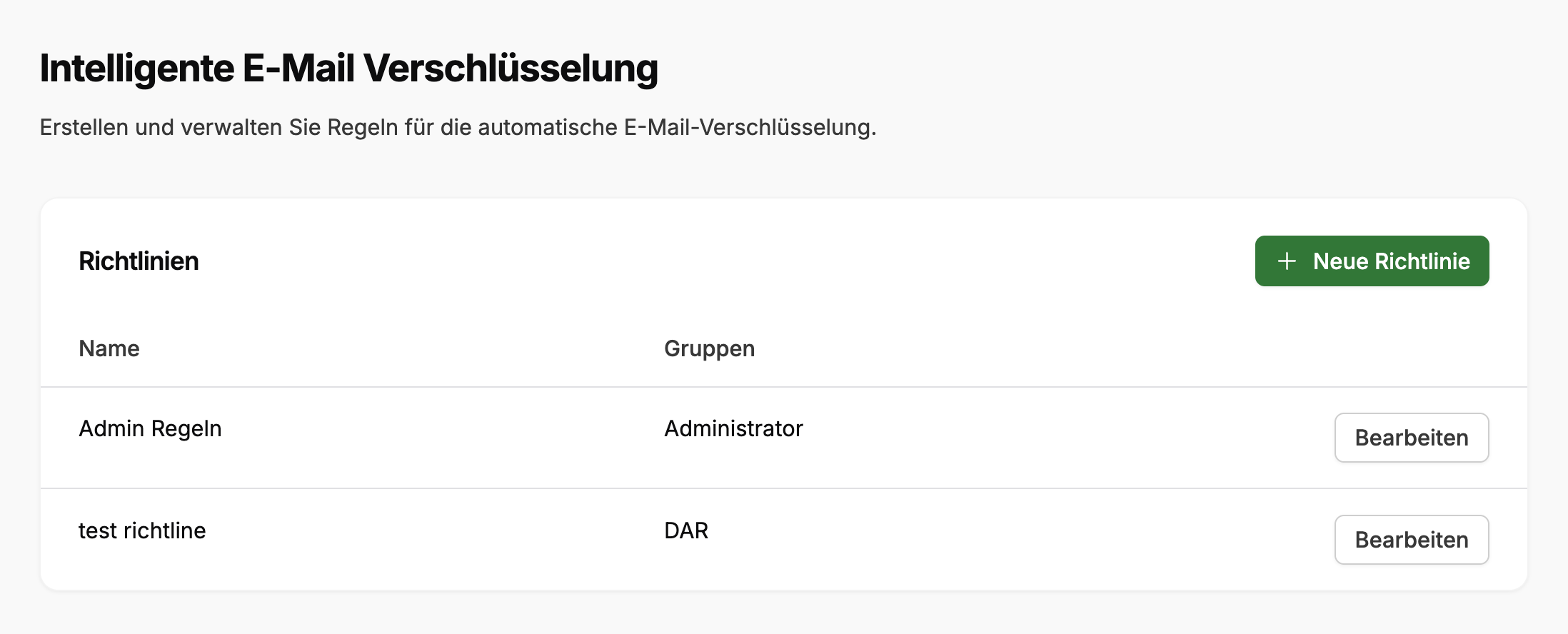
Get started immediately (summary)
Navigate to Administration > SecuMails > Intelligent Email Encryption and click on New policy. Assign a name and select the assigned groups.
Next, create rule blocks: For each block, define a security level and configure one or more rules using condition / operator / value. Rules within a block are linked with AND (Add row). You can add further blocks via Add rule. Blocks are linked with each other using OR and are checked from top to bottom.
Adjust the order via drag & drop. More specific rules belong at the top. Optionally, you can create a final block with the condition All emails as a fallback. Finally, click on Save.
What is Intelligent Email Encryption?
Intelligent Email Encryption (IEE) automatically decides which security level is used to create a SecuMails delivery. The decision is based on properties of the outgoing email (recipient domain, size, subject, attachments).
Instead of every sender choosing the security level manually, admins define policies that apply to specific user groups. If a rule matches, the corresponding security level is applied and the delivery is generated accordingly.
Prerequisite: Policies only apply to emails sent via a mail client with a configured FTAPI Gateway. SecuMails created directly via the web interface are not affected. There, senders continue to choose the security level manually.
Basic terms
| Term | Meaning |
|---|---|
| Policy | A named rule set that applies to one or more user groups. For each email, exactly one policy wins (the one assigned to the sender via their group). |
| Rule block (If-Then block) | A group of conditions that must be met together, and a resulting security level. Visible in the interface as "If ... then ...". |
| Rule (Condition) | A single check within a block, e.g., "Recipient domain equals example.com". Multiple rules in a block are linked with AND. |
| Security level | The result of a block. Determines how the delivery is generated and how the recipient receives it. |
Evaluation order (most important concept)
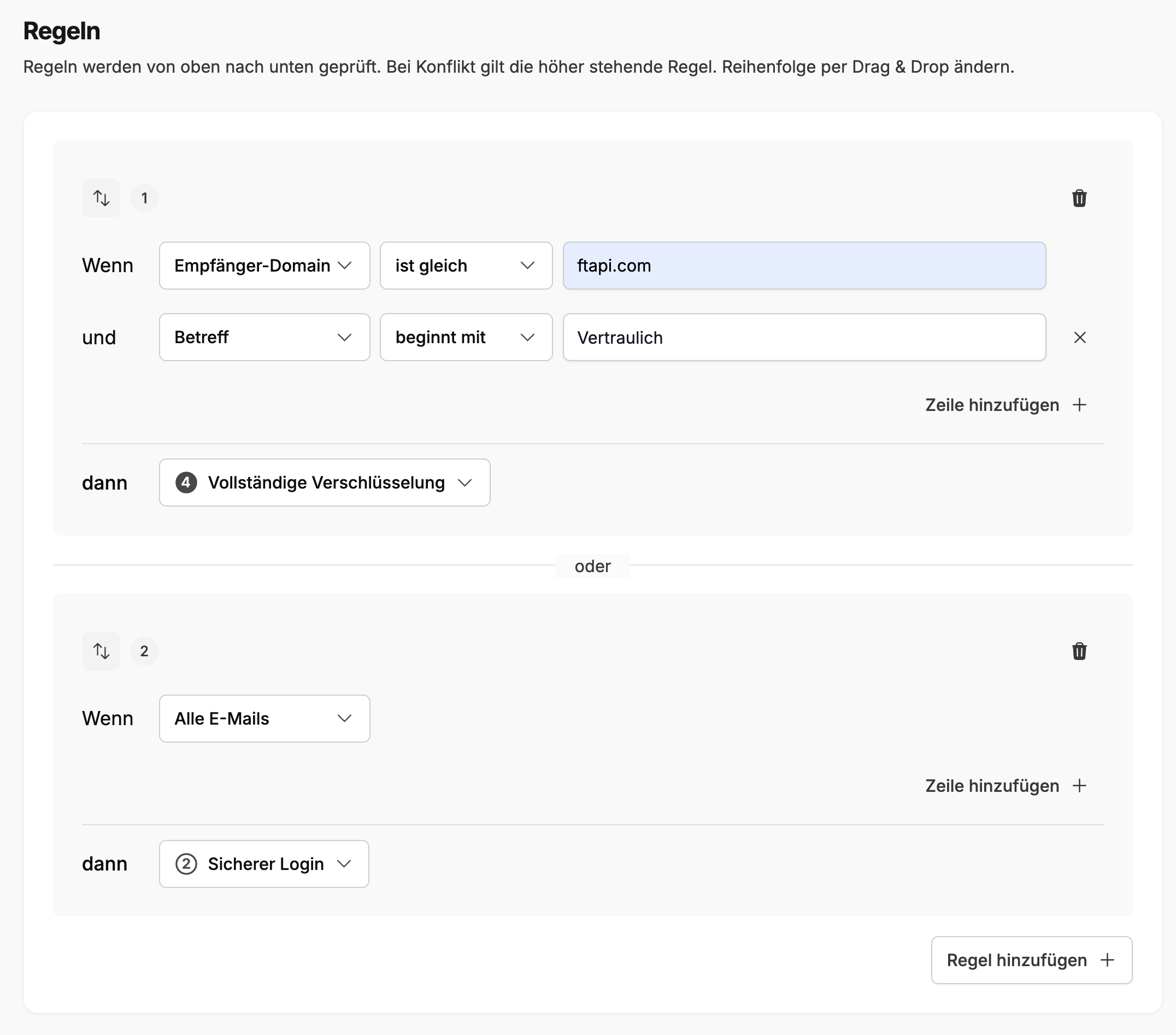
Rule blocks are evaluated from top to bottom. The first block whose conditions are all met wins. Further blocks are no longer checked.
Within a block, AND applies: All rules must be met. Between blocks, OR applies: The first matching block is applied.
Tip: The order can be changed via drag & drop. More specific rules belong at the top, more general ones ("fallback") at the bottom.
Fallback
A fallback block is optional but recommended. It is typically created as the last block with the condition All emails and determines what happens to emails that do not match any specific rule.
Without a fallback block (or if no rule matches), the email is not delivered via SecuTransfer. It leaves the system as a regular, unencrypted email. If you do not want this, you should always create a fallback block with an explicit security level.
Security levels
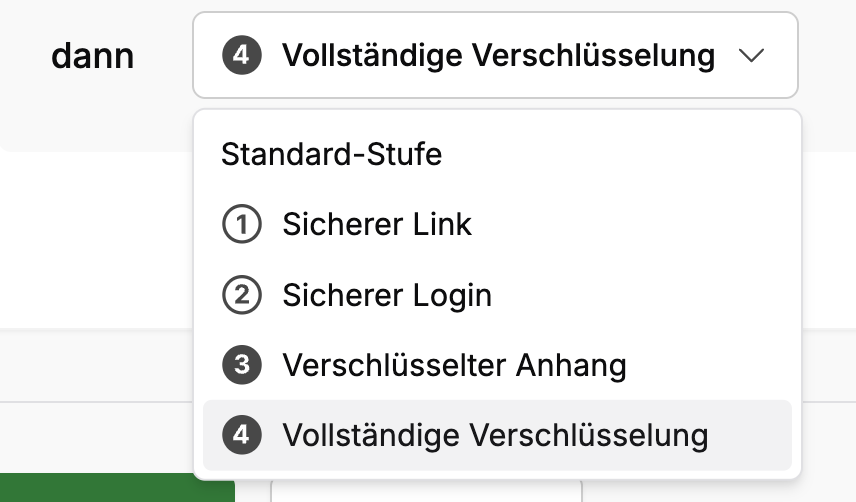
The selected security level determines how the receipt is structured for the recipient.
Levels 3 and 4 require the recipient to have set up a SecuPass. If this is not the case, they will receive a prompt to set one up. The actual message remains inaccessible until then.
A complete description of all four levels can be found in the article The FTAPI security levels.
Available conditions
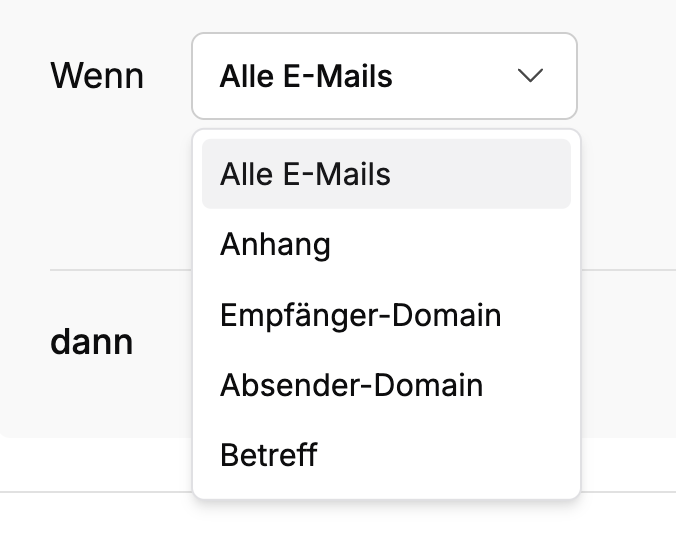
These conditions are available for selection when configuring a rule.
| Condition | Operator | Value | Effect |
|---|---|---|---|
| All emails | always | (no value) | Always matches. For fallback blocks. |
| Attachment | exists | (no value) | Matches if the email has at least one attachment. |
| Attachment | does not exist | (no value) | Matches if the email has no attachment. |
| Attachment | is greater than | Number in MB, e.g., 10 | Matches if the total size of the attachments exceeds the value. |
| Recipient domain | equals / does not equal | Exactly one domain, e.g., example.com | Checks the recipient's domain. Exactly one domain per rule. Create a separate block for multiple domains. |
| Sender domain | equals / does not equal | Exactly one domain, e.g., mycompany.com | Analogous to the recipient domain, only for the sender. |
| Subject | starts with | Text, e.g., Invoice | Checks if the subject line starts with the text. Case sensitivity is ignored. |
Validation limits
The policy name must not be empty. At least one user group must be assigned per policy. Each block requires at least one rule.
Examples
Example 1: Secure customer communication strongly, rest as regular email
| Order | If ... | then security level |
|---|---|---|
| 1 | Recipient domain equals customer-a.com | Full encryption (4) |
Effect: Every email to customer-a.com is transmitted fully encrypted and requires an account + SecuPass from the recipient. All other emails leave the system without FTAPI as regular, unencrypted emails (no fallback block defined).
Example 2: Large or sensitive attachments force login
| Order | If ... | then security level |
|---|---|---|
| 1 | Attachment is greater than 10 | Encrypted attachment (3) |
| 2 | Subject starts with Invoice | Secure login (2) |
| 3 | All emails | Secure link (1) |
Effect: Emails with attachments over 10 MB are delivered with end-to-end encryption. The recipient needs an account + SecuPass. Emails without large attachments but with the subject prefix "Invoice" require a login (account is sufficient, no SecuPass needed). Everything else is delivered as a secure link, without account obligation.
Example 3: Protect external sender domains more strongly
| Order | If ... | then security level |
|---|---|---|
| 1 | Sender domain does not equal mycompany.com | Full encryption (4) |
| 2 | All emails | Secure login (2) |
Effect: Emails from outside your own domain (e.g., via linked third-party systems) are generally fully encrypted. Internal communication falls back to level 2.
Common pitfalls
Fallback missing: Without a block with All emails at the end, an email that does not match any rule leaves the system as a regular, unencrypted email without FTAPI. If you do not want this, you should create an explicit fallback block with a security level.
Too broad rule first: If a block with All emails is at the top, it always wins first and covers all subsequent blocks.
Contradictory rules: Since the first match wins, a deeper, supposedly stricter block can become ineffective. Rethink your intention when adjusting the order.
Multiple domains: A rule accepts exactly one domain. For multiple domains with the same security level, create a separate if-then block for each.
Level 3/4 without SecuPass: Recipients without a set-up SecuPass cannot open encrypted content until they set one up.