
📋 SubmitBox: Setup, activation, and naming of the digital mailbox
What is the SubmitBox?
The SubmitBox acts as a digital mailbox through which external parties – such as customers, suppliers, or citizens – can transmit confidential documents to you securely and encrypted.
All the external party needs is the link to the corresponding SubmitBox. This can be easily integrated into your website or included in your email signature.
Functional mailboxes, such as those for your HR department, can also have their own SubmitBox to receive sensitive data in a structured and protected manner.
Where do I manage my SubmitBox?
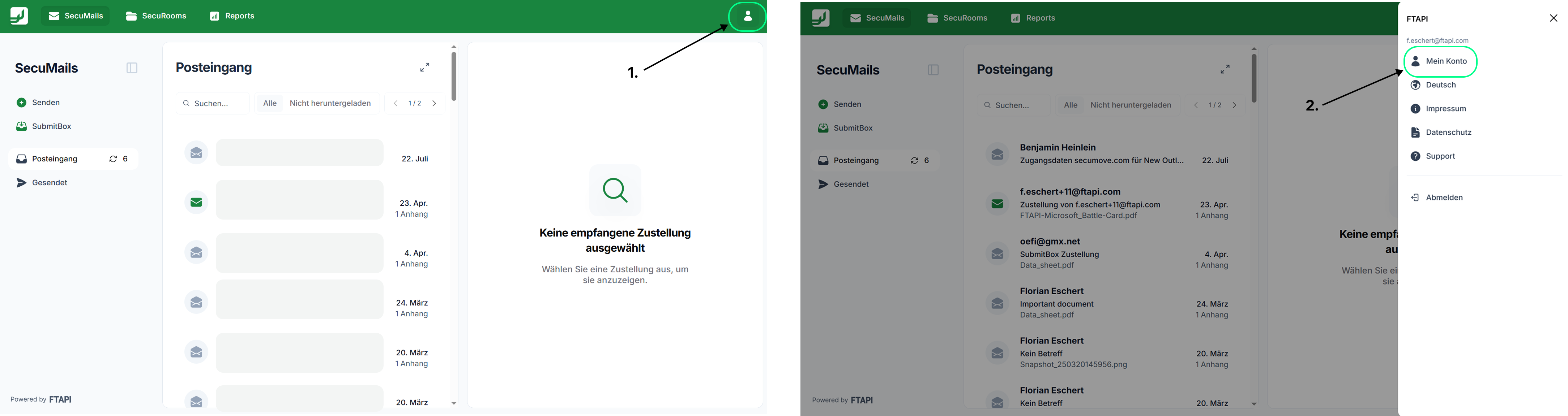
To manage the SubmitBox, first log in to your account via your browser. After a successful login, click on the user icon in the top right corner and select the "My Account" option from the expanded menu:
In the account management section, please scroll down to the "SubmitBox Settings" area to manage the SubmitBox:
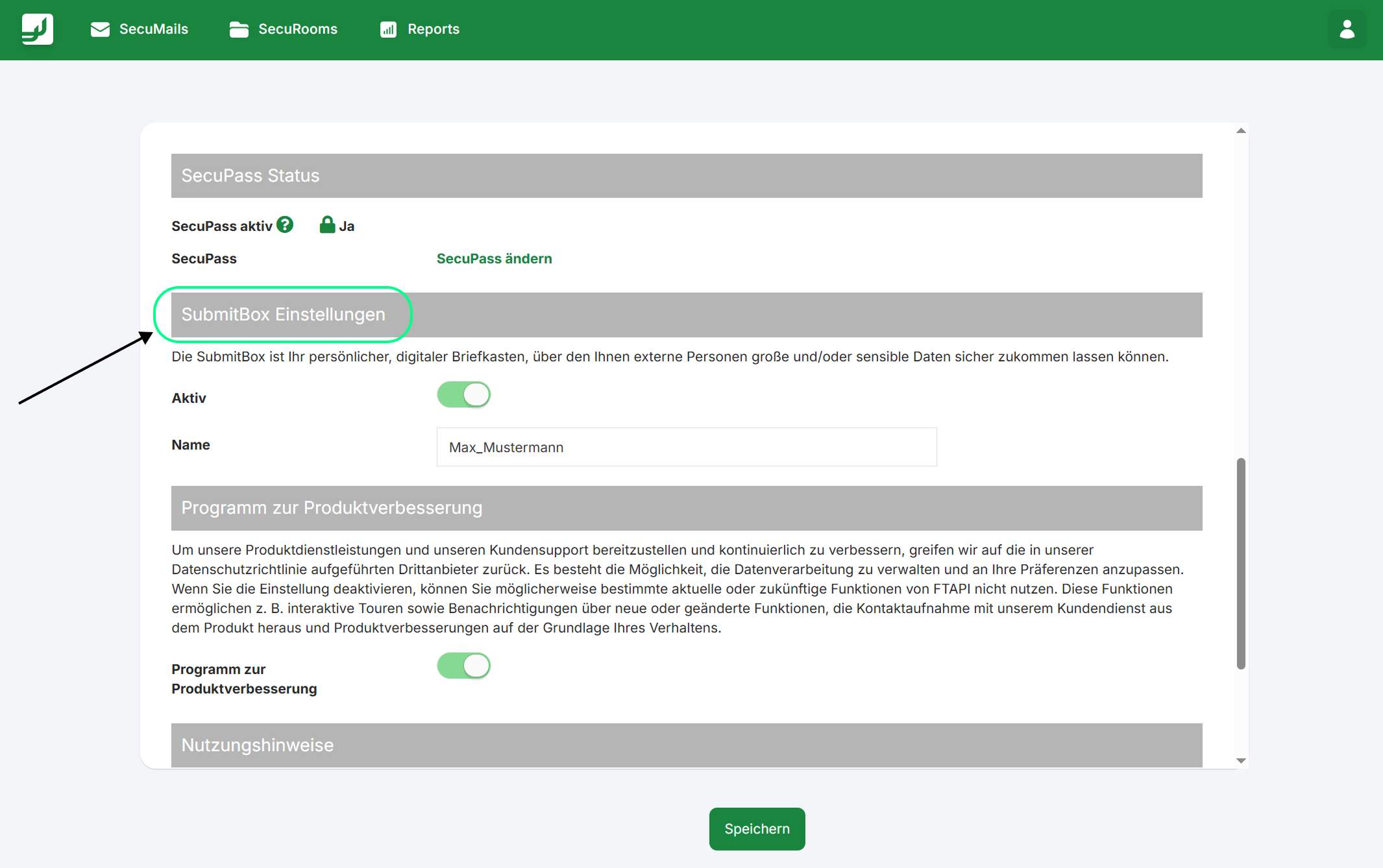
The following options are available:
Activation
If the SubmitBox is not yet activated, you can activate your SubmitBox using the slider.
Naming
The name of your SubmitBox is displayed to the person submitting documents to you via the SubmitBox. You are welcome to make the necessary changes here. Please note that individual names or words must be separated using underscores only. Spaces or other special characters are not permitted.
Related articles
📋 SubmitBox: Active and passive use of the upload function