
📋FTAPI Gateway: S/MIME Administration
FTAPI S/MIME Administration
Domains

Under 'Domains', you can define the handling for individual domains. It is important to add all internal domains here that should be able to communicate via S/MIME encryption and set their 'Locality' to INTERNAL so that they are handled correctly.
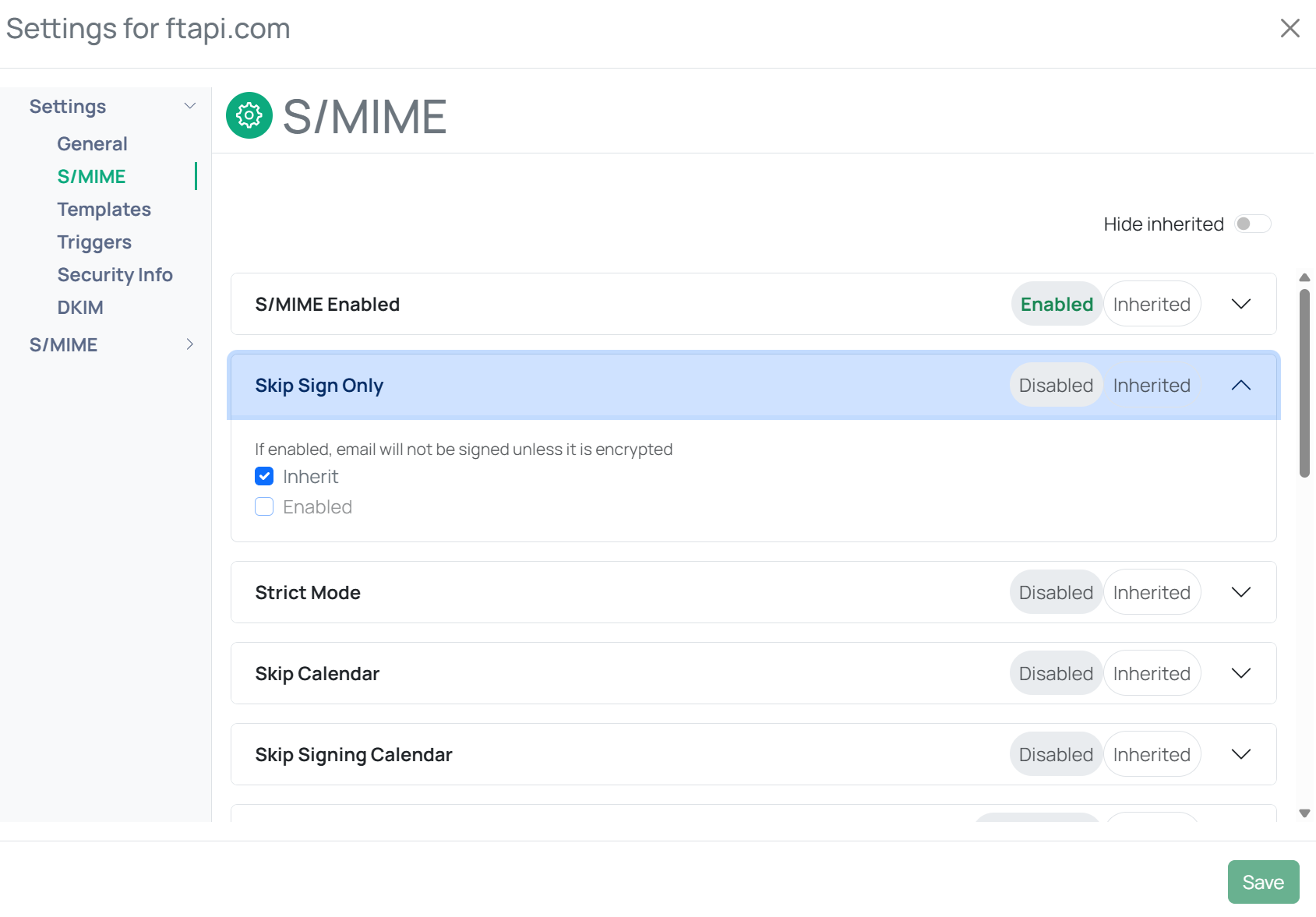
For internal domains, there is the option to deactivate the 'Skip Sign Only' mode. This means that all outgoing emails must be S/MIME signed. If no S/MIME certificate is available for an internal user, a request is automatically sent to the stored certificate authority and the email is held until the certificate is available. This allows for the automation of internal certificate management.
MTA
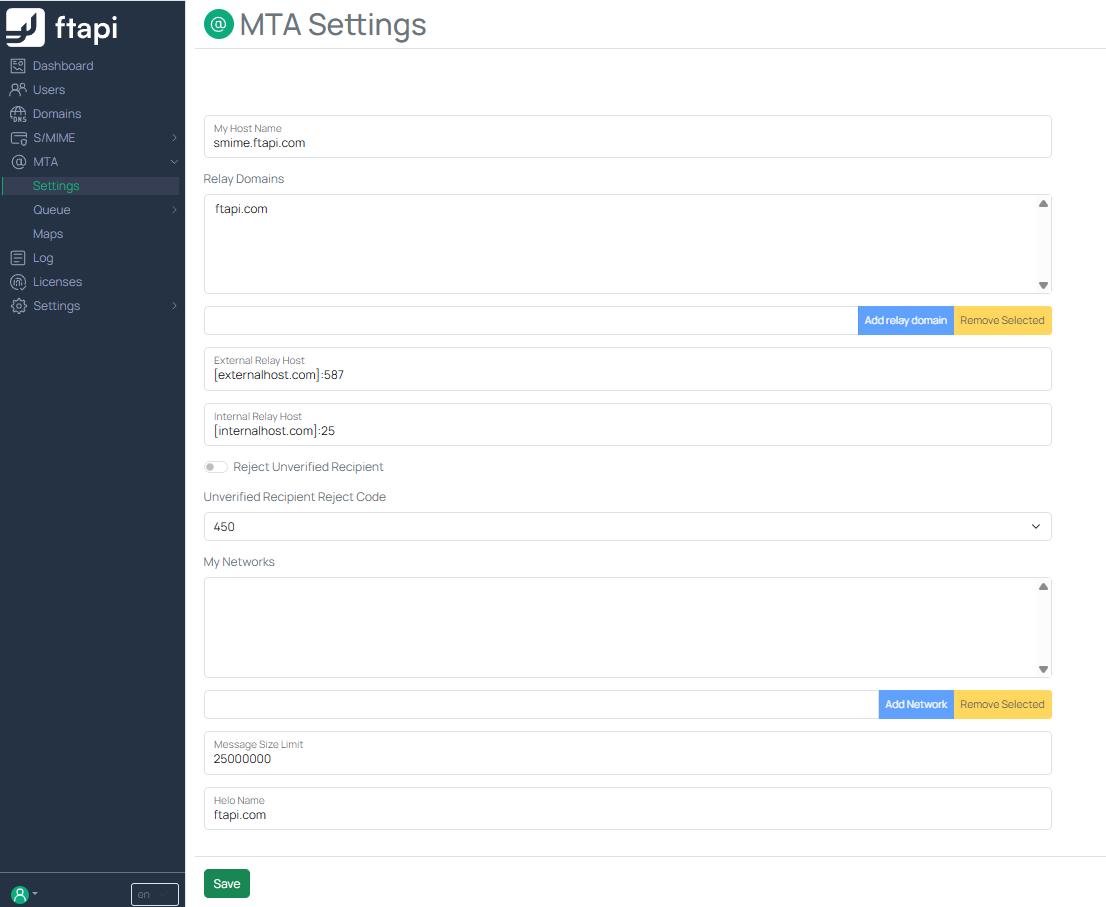
FTAPI S/MIME uses Postfix as a Mail Transfer Agent (MTA). This component is responsible for sending, receiving, and routing emails.
The most common settings can be configured directly in the UI. More advanced changes, which are generally not necessary, can be adjusted via the 'Actions' -> 'Edit Main Config' button.
My Host Name
Enter the FQDN of the FTAPI S/MIME system here.
Relay Domains
Enter all internal domains here that should be able to communicate via S/MIME encryption.
External Relay Host
Enter the next hop in the mail flow here, to which FTAPI S/MIME should send an email that is not listed under Relay Domains.
Internal Relay Host
Enter the next hop in the mail flow here, to which FTAPI S/MIME should send an email that is listed under Relay Domains.
My Networks
Enter the IP address(es) of the SMTP server listed under Internal Relay Host here.
Message Size Limit
Enter the maximum size (in bytes) for emails that are to be S/MIME signed or encrypted here.