
📋 SubmitBox: Configuring activation/deactivation, security levels, and footer links
Activation/deactivation and security level - SubmitBox
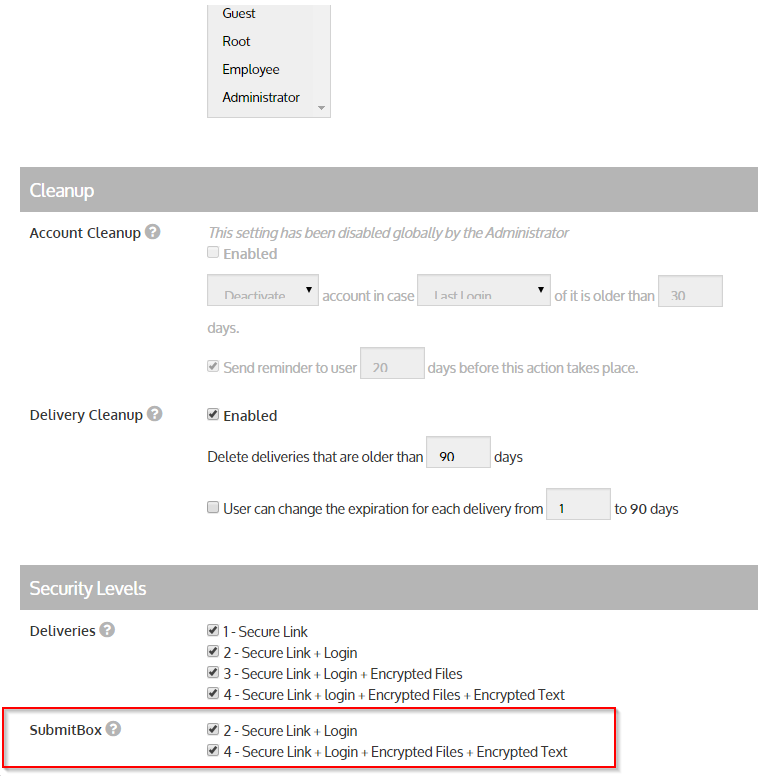
Administrators can use the group settings to determine which groups should have access to SubmitBoxes and which security levels should be available for those SubmitBoxes. Security levels 2 and/or 4 are available for selection.
A distinction must be made between 4 cases as follows:
Case 1: No level activated
The SubmitBox is deactivated for the group and all associated users.
Case 2: Only level 2 activated
If the checkmark is set only for level 2, a file uploaded via SubmitBox will arrive as a level 2 delivery.
Case 3: Only level 4 activated
If the checkmark is set only for level 4, a file uploaded via SubmitBox will arrive as a level 4 delivery.
If only level 4 is activated, every user in the group must have their SecuPass activated for the SubmitBox to function.
Case 4: Level 2 and level 4 activated
See case 3.
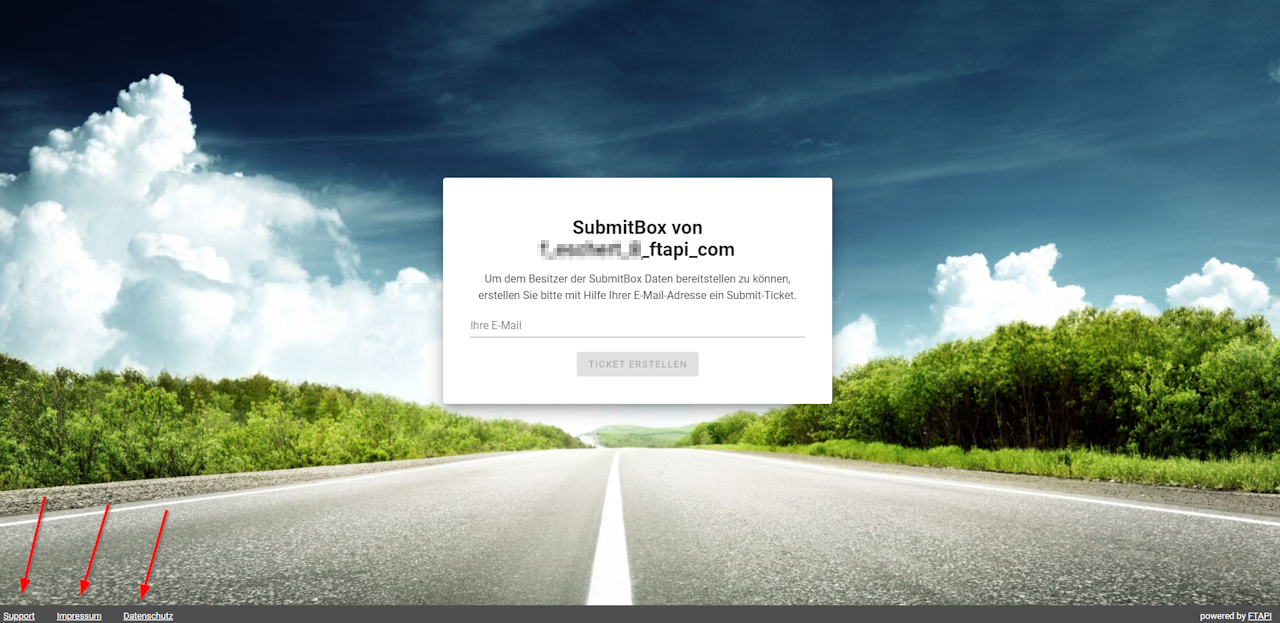
Footer links - SubmitBox
The links in the footer of the SubmitBox (privacy policy, legal notice, and support) are adopted from the settings under "Administration - System - Support".
Related articles
📋 SubmitBox: Customizing global template, layout, and form fields