
❓ SecuRooms: Overview of access roles and permissions
❓ SecuRooms: Overview of access roles and permissions
SecuRooms is the virtual data room solution from FTAPI. It allows you to intuitively manage sensitive data online and collaborate on it – across company boundaries.
Creating and sharing data rooms
With SecuRooms, data rooms can be created and subsequently shared with other people. Shared individuals then receive access to the respective data room as well as the files contained within it, according to their individually assigned permissions. This allows sensitive information to be provided and collaborated on in a controlled, traceable, and secure manner.
Access roles and permissions
When sharing data rooms with other people, the following 4 access roles with their respective permissions are available:
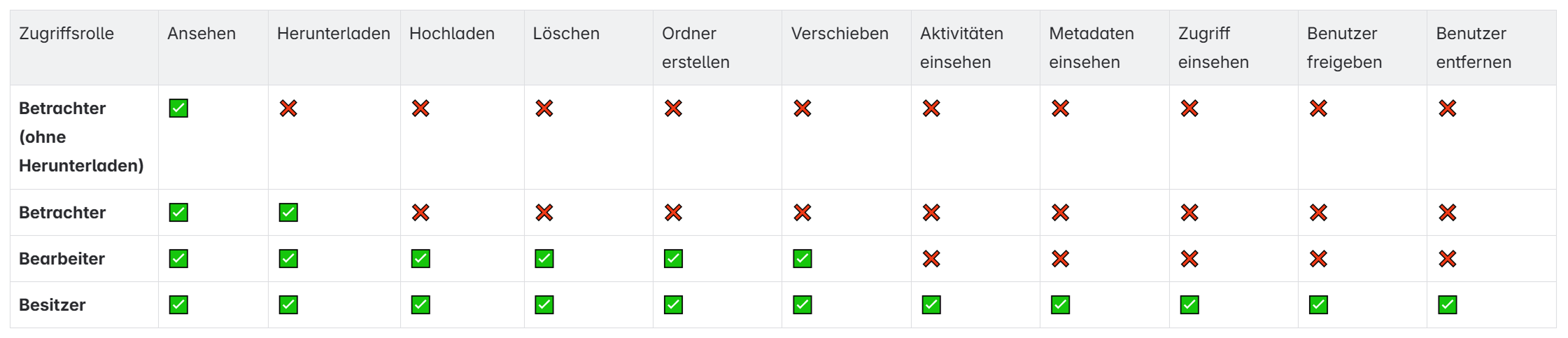
ℹ️ Licensing is based on role permissions. The following roles can use SecuRooms without a license:
Your employees use SecuRooms unlimited without a license in the Viewer role. Guest users can additionally work unlimited without a license in the Editor role.
Adjusting permissions
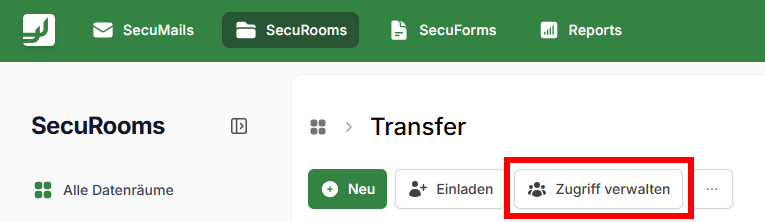
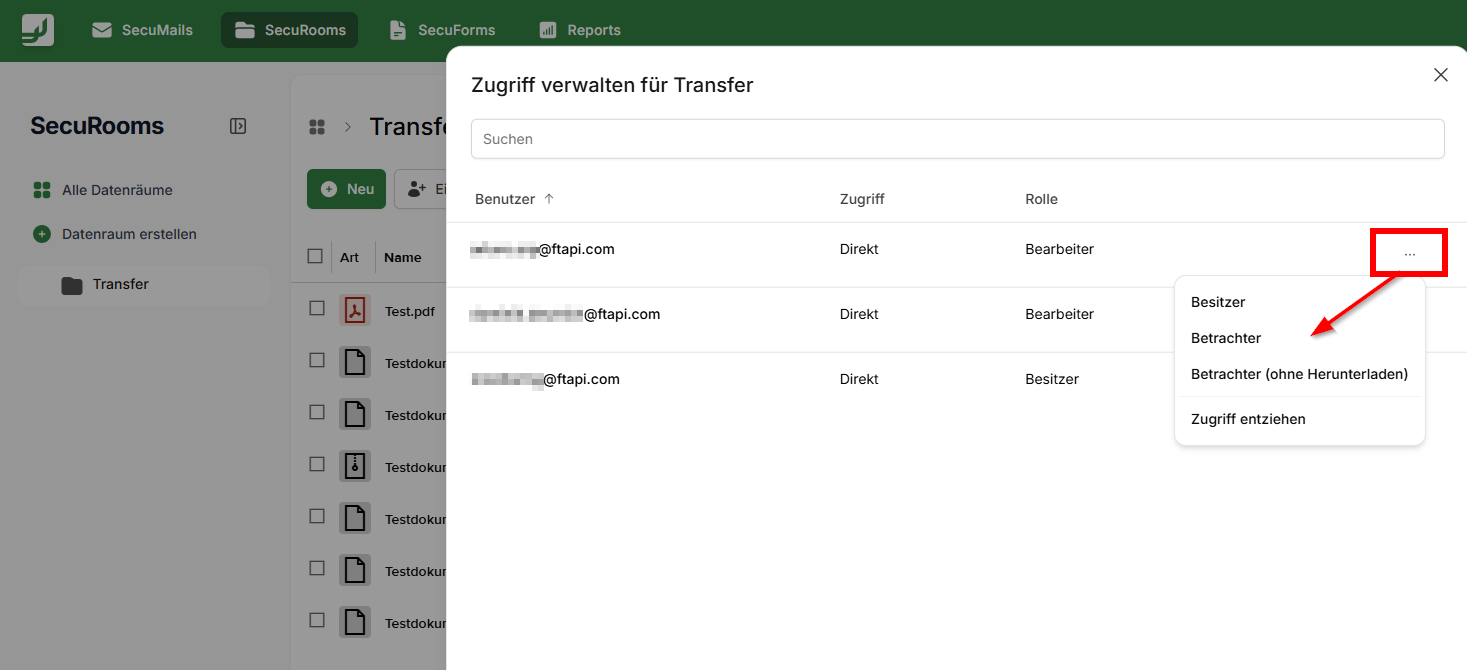
To adjust the permissions of an existing user, select Manage access and click on ...
Access through a user group
There are two ways you can get access to a data room:
- Individually – you were invited personally with your email address.
- Through a user group – an administrator invited a group you are a member of. You then get the role assigned to that group.
Both can apply at the same time. If you are a member of several invited groups, the permissions of all access paths apply together. In the Manage access dialog, invited groups appear as their own row at the top of the list. Expand a group row to see its members.
What this means for you
- If your individual access is revoked, your access through a group remains. You keep the group's role.
- If you are removed from the group, you lose the access that group granted. Individual access and access through other groups remain.
- If the group is revoked from the data room or deleted, you lose the access that group granted. All other access paths remain.
- If the group's role is changed, your role changes accordingly. A role granted to you individually is not affected.
Who may invite groups
Only users with the System Administration role can invite a user group to a data room or folder. As the owner of a data room you can see invited groups and their members, change a group's role and revoke a group's access. You cannot add new groups.
One exception applies to revoking and downgrading: if the change would leave the data room without an owner, it is rejected. A data room always keeps at least one owner.
Leaving a data room
As long as you have access through a group, the Leave data room action is not available. This applies even if you were also invited individually. Contact your administrator if you want to be removed from the data room.
Related articles
📋 Managing access rights: Subfolder sharing and E2E rules
📋 SecuRooms: Special rules for administrators and owner changes
📋 SecuRooms: Invite and manage user groups in data rooms