
📋 SubmitBox: Active and passive use of the upload function
To use the SubmitBox, click on the "SubmitBox" option in your SecuMails mailbox. In general, there are two ways to use the SubmitBox - active and passive use.
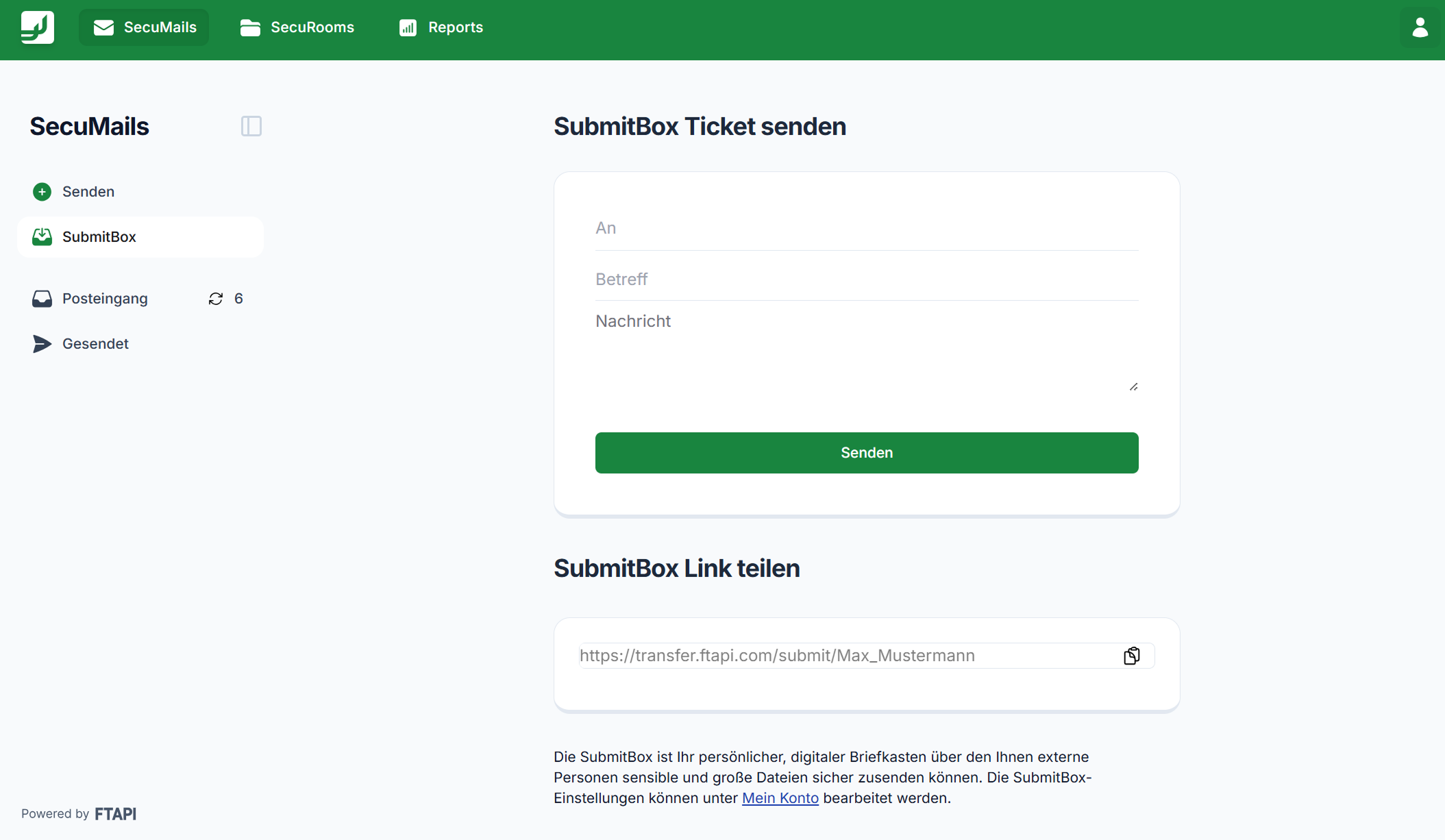
Active use (Send SubmitBox ticket)
With active use, you send the link to your SubmitBox as an FTAPI delivery to a specific recipient. To do this, proceed as follows:
- Select "Send SubmitBox ticket".
- Enter the recipient's email address, a subject, and optionally a message text.
- Click on "Send".
The recipient receives a one-time link that they can use to securely upload large and confidential files.
Passive use (Permanent link)
With passive use, you provide a permanently accessible link that allows external parties to independently generate an upload ticket to securely transmit (even large) files to you.
Use the "Share SubmitBox link" function for this and copy the URL of your SubmitBox. You can integrate this link, for example, on your website or place it in your email signature. Via this link, external users can create an upload ticket and securely upload files to you.
Related articles
📋 SubmitBox: Setup, activation and naming of the digital mailbox