
📋 SecuRooms Drive: Rollout and Installation
You can download the latest version of SecuRooms Drive at any time using the following link: https://software.ftapi.com/ftapi/securoomsdrive/latest
Please make sure that the installation and user requirements listed below are met.
Prerequisites for installation
To ensure a smooth installation, please check in advance whether you have the necessary roles and rights, the technical requirements are met, and the network is configured correctly.
Roles & rights
Depending on the type of installation, you require different permissions on the target system:
| Installation type | Required rights |
|---|---|
| Standard installation | Local administrator rights |
| Enterprise rollout | Domain administrator or SCCM/Intune permission |
Technical requirements
The following system requirements must be met on the end devices:
| Requirement | Details |
|---|---|
| Operating system | Windows 11 |
| Architecture | x86_64 (64-bit) |
| Runtime | Microsoft Edge WebView2 Runtime (installed automatically) |
| Disk space | At least 200 MB free hard disk space |
| Memory | At least 4 GB RAM recommended |
Please note: SecuRooms Drive does not support Windows Terminal Servers. Full functionality is not guaranteed when installed or used in terminal server environments.
Network
Your network must be configured for communication with the FTAPI server as follows:
- Access: Access to your FTAPI server must be guaranteed (default:
https://[your-instance].ftapi.com). - Ports: Port 443 (HTTPS) must be opened in the firewall.
- Proxy: If applicable, proxy configuration according to your corporate policies.
SecuRooms Drive picks up the machine's proxy settings automatically from the Windows internet settings. In most cases no configuration is required. To set a specific proxy machine-wide instead, see the article 📋 SecuRooms Drive: Proxy settings.
FTAPI system requirement: version 4.68.0 or higher
SecuRooms Drive version 1.1.0 requires FTAPI version 4.68.0 or higher. All future SecuRooms Drive versions require this or a higher version.
If you use FTAPI in the cloud, your instance is updated automatically and already meets the requirement. If you run FTAPI on-premises, update your instance to version 4.68.0 or higher before you roll out SecuRooms Drive 1.1.0 to the workstations.
Prerequisites for SecuRooms Drive users
Every user for whom the SecuRooms Drive is rolled out must meet the following criteria for a successful login:
- A user account on the SecuRooms server must exist.
- A valid FTAPI SecuRooms license must be available.
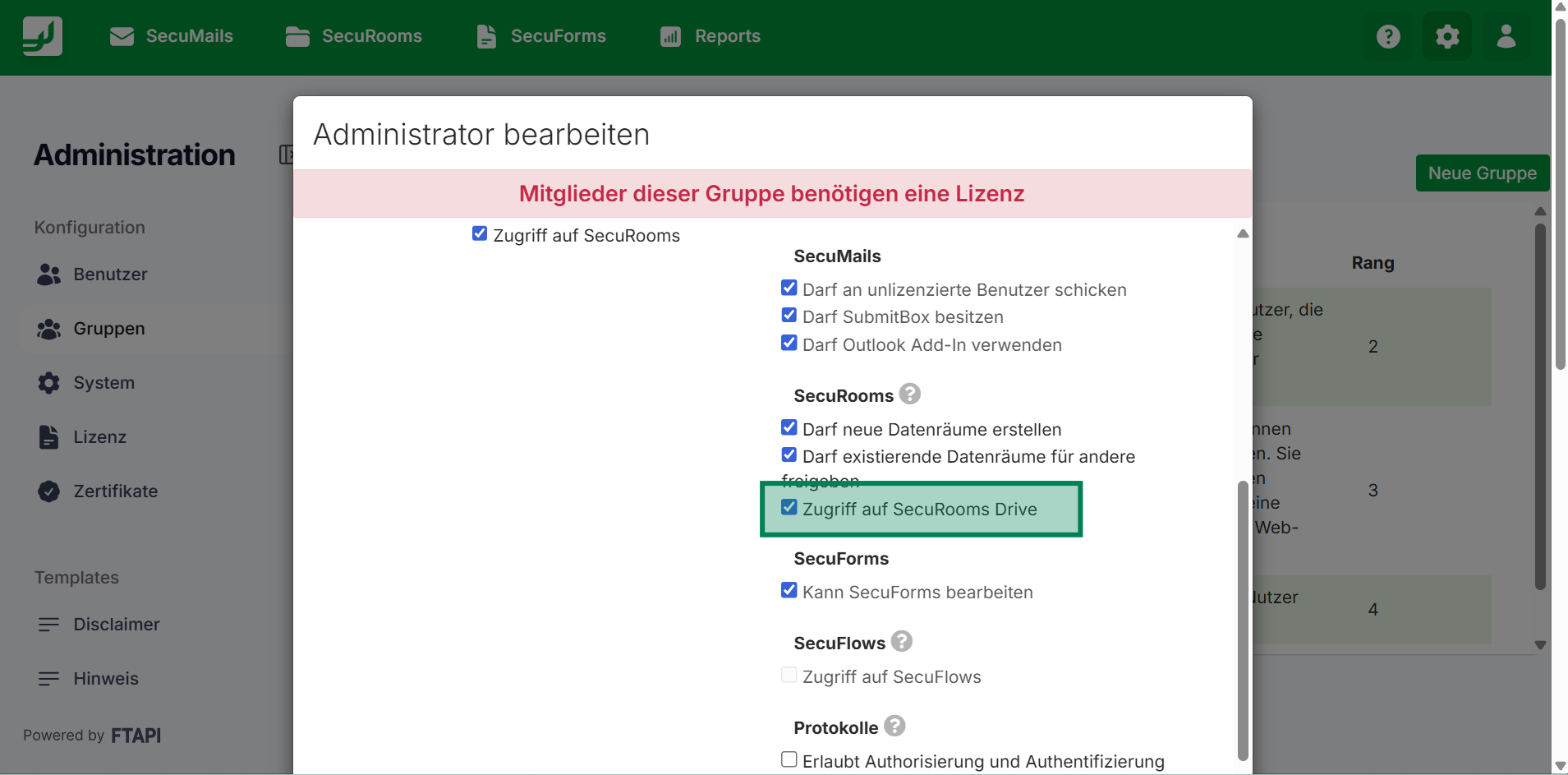
- The user must be in a group with the group permission "Access to SecuRooms Drive".
Software acquisition
You can download the latest version of SecuRooms Drive at any time using the following link: https://software.ftapi.com/ftapi/securoomsdrive/latest
Automated installation (Enterprise rollout)
SecuRooms Drive supports automated installation for corporate environments. The installation is script-based via MSI and can be integrated into deployment tools and group policies.
SERVER_URL parameter
The SERVER_URL parameter defines the central server address to which all clients connect. This saves end users from having to manually enter the server address during the first start.
Example MSI installation via command line:
msiexec /i SecuRooms_Drive-latest.msi /qn SERVER_URL="https://[your_instance].ftapi.com"
Technical details
For administrators, the following storage locations and registry entries are relevant for troubleshooting or verification.
Storage locations
| Data | Windows path |
|---|---|
| Database | \AppData\Roaming\com.ftapi.securooms-drive.app |
| Logs | \AppData\Local\SecuRooms Drive\Logs |
Registry entries
| Path | Value | Description |
|---|---|---|
HKLM\Software\FTAPI\SecuRooms Drive\InstallDir | Installation path | Directory of the installation |
HKLM\Software\FTAPI\SecuRooms Drive\ServerURL | Server URL | Configured server address |
| ProxyURL | REG_SZ | The proxy SecuRooms Drive should use, in the format http://host:port or https://host:port. This setting takes priority over the internet and proxy settings configured in Windows. See 📋 SecuRooms Drive: Proxy settings. |
Related articles
❓ SecuRooms Drive: Overview & functions
📋 SecuRooms Drive: User guide
📋 SecuRooms Drive: Proxy settings