
📋 LDAP: Exporting LDAPS certificate via MMC or OpenSSL
Exporting LDAP(S) certificate
If user login via LDAP is no longer possible, the stored certificates may differ due to a one-sided renewal. To provide the new certificate to the FTAPI server, proceed as follows:
Please note that certificates may be automatically renewed a few weeks before the expiration date, depending on the certificate type you have chosen.
Certificate export via Microsoft Management Console (MMC)
- Open certificate store: Open the Microsoft Management Console (MMC) on the Domain Controller. Add the "Certificates" snap-in for the computer account.
- Navigate to "Certificates (Local Computer)" > "Personal" > "Certificates".
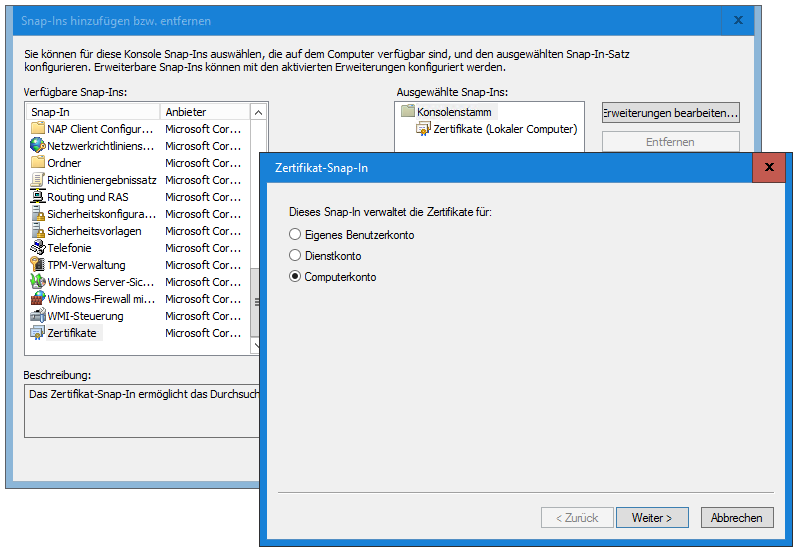
- Select certificate: Find the certificate used for LDAPS. Usually, this is a certificate issued for the fully qualified domain name (FQDN) of the Domain Controller.
- Export certificate: Right-click the certificate and select "All Tasks" > "Export".
- Follow the instructions of the Certificate Export Wizard. Select the option **not** to export the private key.
- Select the desired file format (PEM format, Base-64 encoded X.509).
- Specify a storage location and a file name and click "Finish" to complete the export process.
Determining the certificate via OpenSSL (optional)
Start "openssl.exe" with the parameter s_client -showcerts -connect your.domain.controller:636
The command simulates an SSL handshake with the Domain Controller and outputs, among other things, the certificate used:
Copy the lines from -----BEGIN CERTIFICATE----- to -----END CERTIFICATE----- into a file.
Currently, the LDAP certificate can only be imported by FTAPI support. Please create a ticket if necessary; support will then provide you with a SubmitBox link where you can securely upload the aforementioned file.
Related articles
📋 SSO: Exporting and updating SAML certificate (metadata) from IdP