
📋 SecuRooms: enabling and monitoring public links
Granting the permission
Open Administration → Groups, select the group and scroll to the SecuRooms section. There you find the permission "May create and delete public links".
Two permissions belong together
When you set this permission, FTAPI automatically also enables "May share existing data rooms with others". Without that base permission no data room can be shared at all — not even via a public link.
Root group
The root group cannot receive the new SecuRooms permissions. Create a dedicated group for users who are meant to create public links.
How the permission affects the interface
Without the permission, the invite dialog only shows the tabs the group is allowed to use. The Public link tab is missing.

With the permission the tab appears and the user can create a public link.

The group permission alone is not enoughThe person also needs the Owner access role for the specific data room or folder. Without it the button stays hidden on that folder, even though the group holds the permission.
All public links in the tenant
Under Administration → Public Links you see every public link in the tenant with its name, creator, creation date and target. The Active column shows whether the link currently works.
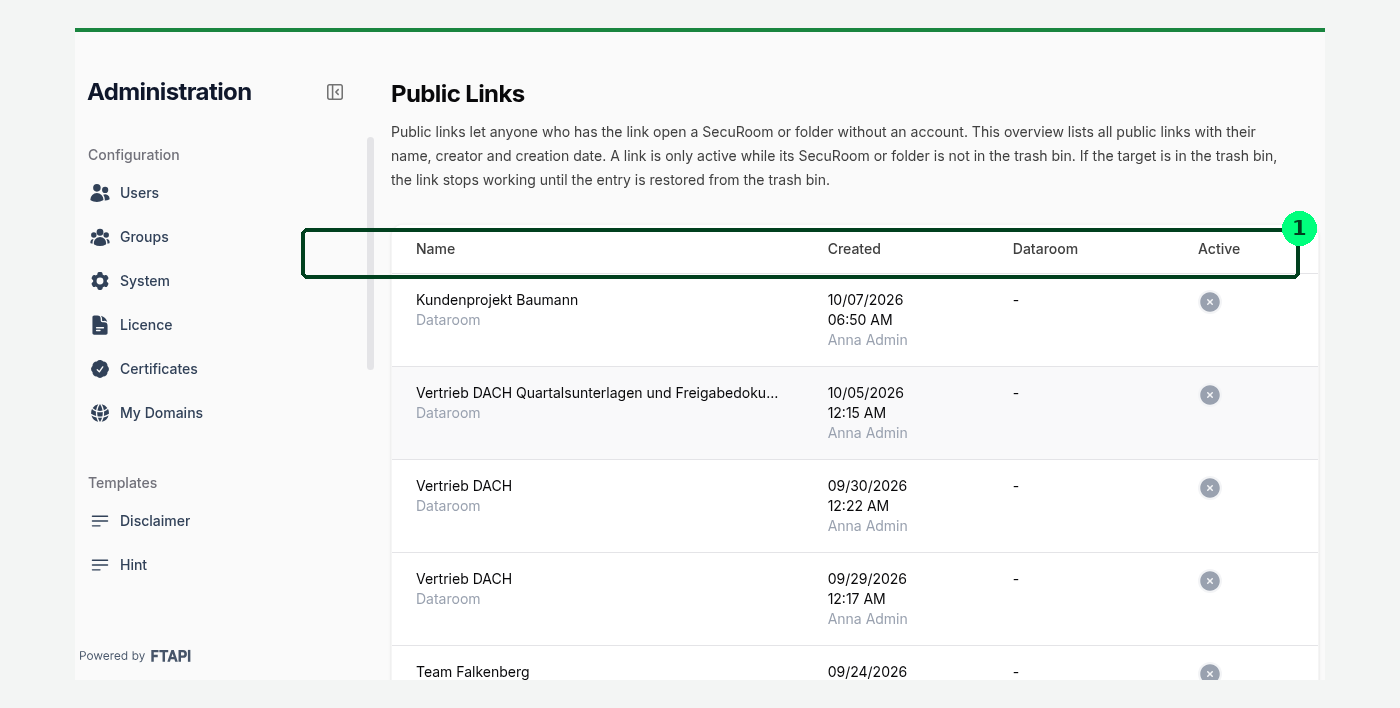
A link is only active while its target is not in the trash bin. If the data room or folder is restored, the link works again. If it is deleted permanently, the link disappears.
Activities in the log
Creating and deleting public links is logged permanently. You find the entries under Reports → Activity Log in the Activity column as Public link created and Public link deleted.
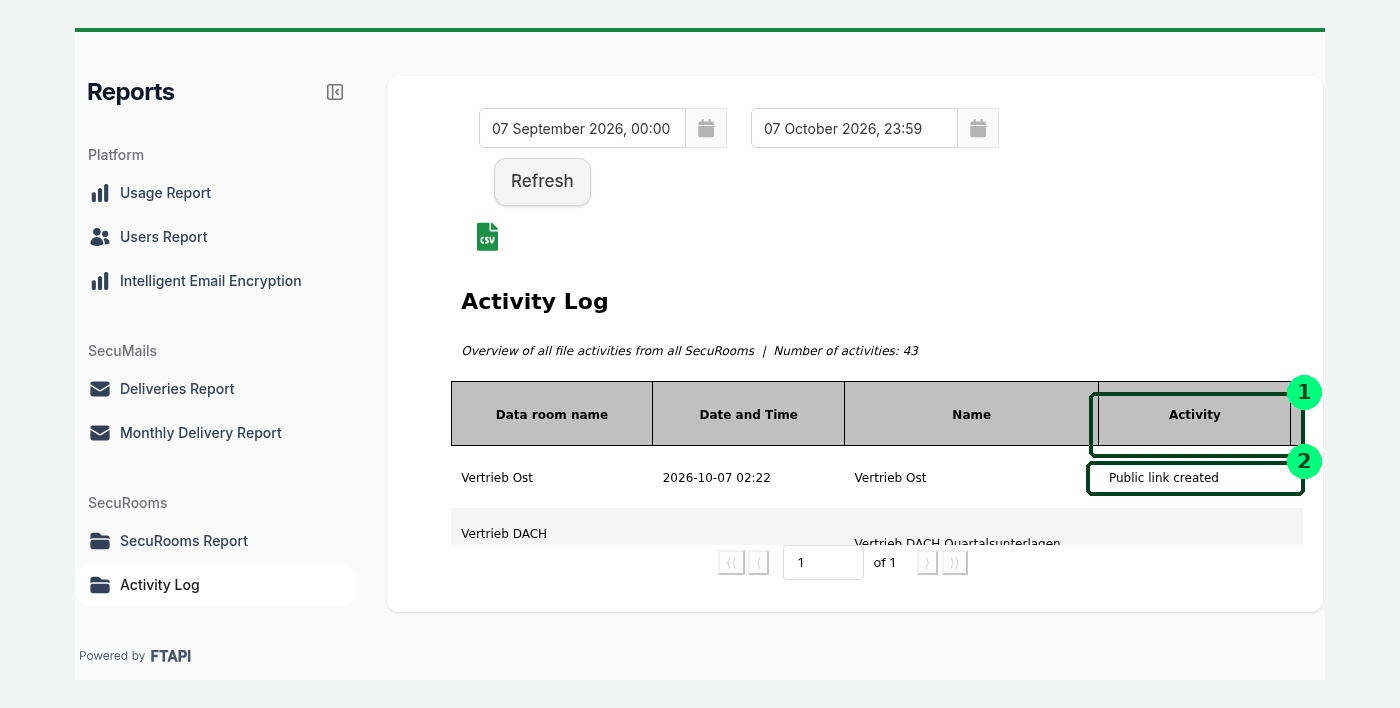
The period can be narrowed at the top, and the log can be exported as CSV.
What to tell your users
- A public link is not password protected. Whoever has it can see the content.
- The link applies to all subfolders of the shared folder.
- To revoke a link it has to be deleted — after that it stops working immediately.
- As an administrator you define the wording of the download notice in the recipient view (Administration → Templates → Disclaimer).
The matching end-user article is "SecuRooms: sharing folders and data rooms via a public link".